
Test bench / June 2026
How hot does an Astral RTX 5080 run?
The core on my ASUS ROG Astral RTX 5080 OC ran at 63–72 °C while gaming at stock settings. The review puts cooling, fan noise and power side by side.
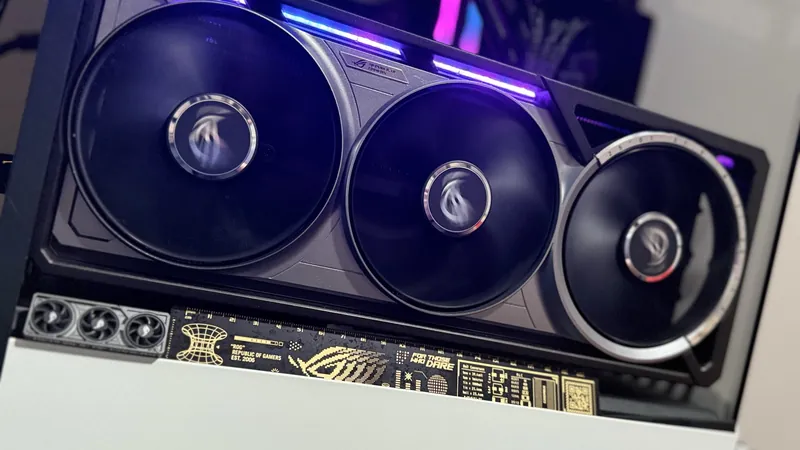
Test bench / June 2026
The core on my ASUS ROG Astral RTX 5080 OC ran at 63–72 °C while gaming at stock settings. The review puts cooling, fan noise and power side by side.
Homelab / Field guide
Start with the camera’s recorded bitrate. Count what you actually keep, then leave the recorder room to breathe.
A maintained shortlist for reading a Windows hardware fault and checking exact AM5 ECC or NVMe expansion evidence.
WHEA_UNCORRECTABLE_ERROR 0x124 is a fatal hardware report. Preserve the dump, read its WHEA source and record, then isolate the matching branch.
ToolCheck what current manufacturer sources establish for ECC UDIMM support across three exact AM5 motherboard models and the Ryzen 9 9950X or Ryzen 7 8700G.
ToolCheck a motherboard manual's documented PCIe lane splits before using a single-drive, passive dual, passive quad, or switched NVMe expansion card.
Long-term reviews of gear I bought, ran, and measured myself.
My ROG Astral RTX 5080 OC measured: 4K FPS, 3DMark at three profiles, stock power and temperatures, size, PSU, noise and its Newegg price (Sept 2026).
AMD Ryzen 7 7800X3D long-term review from daily use since 2023, with specs, TDP and chipset, plus the 9800X3D and other rivals compared: keep it or upgrade?
ASUS ROG Strix B650-A Gaming WiFi review from my 7800X3D build: DDR5 tuning, power delivery, WiFi 6E, PCIe slots, and the board's tradeoffs.
Run a home server the smart way: Proxmox, TrueNAS, NAS builds, and mini-PCs.
Unraid vs TrueNAS vs Proxmox in 2026: which storage platform to pick, how their ZFS and btrfs backends really differ, and the IOPS and rebuild tradeoffs.
The best mini PC for a homelab in 2026, by budget: a used OptiPlex 7060 Micro at $219.99, the MS-01 for 10GbE, the NUC 14 Pro+ for low idle. Newegg prices.
HardwareSet up Proxmox VE on a mini PC step by step - install, storage, networking, and your first VM in under an hour (MS-01, NUC 14 Pro, EliteDesk 800 G4).
Parts picks and full build guides, from a budget AM5 box to a flagship 4K rig.
A Ryzen 7 7700 and RTX 5060 Ti 1440p build tested at 78-312 fps in 7 games. A separate Cyberpunk Ultra RT/DLSS Quality pass reached 71 FPS.
Build guide32GB DDR5-6000 CL30 price at Newegg on September 24, 2026: $472.99. CL36 kits from $439.99, 64GB from $939.99. Which kit to buy for gaming, VMs and AM5.
Build guideAORUS FO48U review: 48-inch 4K 120Hz OLED with DisplayPort 1.4, two HDMI 2.1, and a built-in KVM. First-hand daily-driver take, a stock check, pros and cons.
Published October 7, 2026. Source checked October 11, 2026.
NVIDIA announced RTX Spark laptops and compact desktops for Windows. It says laptop preorders opened October 7, with availability scheduled for October 16, while compact desktops are planned for November.
Read NVIDIA's announcement. This is a dated manufacturer update; use the source for changes after the checked date.
Some results here come from my own hardware in St. Louis County. Others come from manufacturer documents or independent labs. Look for the setup, the original data and the conditions that make a result apply to your machine.
Browse hardware reviewsRead the testing methodsSend a correction
 Lowell K. Wood IV
Editor, TechFuel HQ