
If every client direct-plays your files, you need no GPU. Otherwise an Intel N100 or N150 box transcodes HEVC and tone-maps HDR on its iGPU; ASUS’s NUC 14 Essential N150 barebone was $239.99 at Newegg on September 24, 2026. To add a card: Intel’s Arc A380, $139.99 plus $6.99 shipping, or NVIDIA’s RTX 5050, $309.99. Skip the GTX 1650.
Contents
By LK Wood IV · 2026-06-11 · ~12 min read · St. Louis County, MO
Start with your clients, then the library. If every TV and player direct-plays what you store, the server needs no GPU.
If they don’t, and the library holds 4K HEVC 10-bit with HDR, I would buy an Intel N100 or N150 mini PC: its iGPU decodes HEVC 10-bit, tone-maps HDR to SDR and encodes H.264, free in Jellyfin and with a Plex Pass in Plex.
ASUS’s NUC 14 Essential with an N150 was $239.99 at Newegg on September 24, 2026, as a barebone that needs one DDR5 SO-DIMM and one M.2 SSD.
To add a card to a server you already run, Intel’s Arc A380 was $139.99 plus $6.99 shipping (ASRock Challenger, sold by Newegg) and also encodes AV1; for NVIDIA, the RTX 5050 was $309.99 (GIGABYTE low profile, sold by Newegg), the entry desktop card of the generation Jellyfin rates as the best hardware encoder.
Do not buy a GTX 1650, an AMD card or a 7th-to-10th-gen Intel box for a new server: Jellyfin’s own hardware guide leaves all three off its list. The support list below covers 19 GPU families, from Intel’s 6th gen to the RTX 50 series.
Transcoding only matters when direct play fails
Direct play: the client plays the file as stored, and the server only reads it from disk. Remux and direct stream: the video passes through untouched while the container or the audio changes, a light CPU job.
Transcode: the client cannot play the video codec, or the bitrate does not fit the connection, so the server decodes and re-encodes the video on the fly. Only this last case needs a GPU. In Jellyfin an HDR source always leaves a transcode as SDR, because Jellyfin does not tone-map HDR to HDR or pass HDR metadata through.
Jellyfin’s codec support table predicts which clients will trigger it.
As it read on September 24, 2026: Chrome and Edge fully play H.264 and VP9, AV1 too, and HEVC only depending on the device; Safari and the Jellyfin iOS app play HEVC 10-bit; the iOS app plays neither VP9 nor AV1; Roku decodes HEVC only on its 4K devices.
Burned-in subtitles force a video transcode even when the codec would direct play, and Jellyfin calls that the most CPU-intensive part of transcoding.
So transcoding is unavoidable when a client lacks your codec, when a remote stream has to squeeze a large file through a small upload, when an HDR file meets an SDR screen, and when subtitles have to be burned into the picture. If none of that applies, stop here.
The GPU support list: Jellyfin 12.1 and Plex
Jellyfin 12.1 is the current release (published September 15, 2026, UTC), and neither its release notes nor 12.0’s removes a GPU platform. The Jellyfin column quotes Jellyfin’s hardware selection guide as it read on September 24, 2026.
Decode and encode list the hardware codecs from Jellyfin’s vendor pages and NVIDIA’s matrix; H.264 means 8-bit, because Jellyfin says no Intel, NVIDIA or AMD GPU decodes H.264 10-bit for it today. A dash means no vendor page says. The list gives engine counts and no stream counts.
| GPU family (examples) | Hardware decode | Hardware encode | HDR tone mapping in hardware | Jellyfin’s guide | Plex | Engines and session cap | Driver or platform |
|---|---|---|---|---|---|---|---|
| Intel 6th gen Core (HD 5xx) | H.264, HEVC 8-bit | H.264, HEVC 8-bit | Jellyfin: no (no HEVC 10-bit decode). Plex: not on Linux (needs Kaby Lake) | Losing QSV on Linux (“10th gen and older”) | Quick Sync from Sandy Bridge; no HEVC encode (needs 7th gen) | No session limit | Linux QSV from Broadwell; VA-API fallback |
| Intel 7th to 10th gen Core (UHD 6xx, an 8th-gen i5) | H.264, HEVC 8/10-bit | H.264, HEVC 8/10-bit | Jellyfin: yes. Plex: Linux (Docker and NAS included) yes; Windows footnoted “For Intel Tigerlake or newer” | Keep, don’t buy: “removed from this list”; losing QSV on Linux | HEVC encode from 7th gen with Plex Media Server 1.41.3 | No session limit | MediaSDK runtime, deprecated by Intel; VA-API fallback |
| Intel Celeron/Pentium J and N up to 11th gen (J4125, N5105, J6412) | H.264, HEVC 8/10-bit | H.264, HEVC 8/10-bit | Jellyfin: yes. Plex: - | Avoid: “J/M/N/Y series low power CPUs up to 11th gen”; Jasper and Elkhart Lake losing QSV on Linux | NAS: Jasper Lake or better to transcode to HEVC reliably | No session limit | MediaSDK runtime; VA-API fallback |
| Intel 11th gen Core (Tiger Lake, Rocket Lake; i5-11400) | H.264, HEVC 8/10-bit, AV1 | H.264, HEVC 8/10-bit | Jellyfin: yes. Plex: Linux and Windows | Recommended (i5-11400 named) | HEVC encode | No session limit | OneVPL (Gen 12 and newer) |
| Intel N100, N150 (N series, 12th gen and newer) | H.264, HEVC 8/10-bit, AV1 | H.264, HEVC 8/10-bit | Jellyfin: yes. Plex: Linux and Windows | Recommended (N100 named; “Intel 12th gen or above N series” for low power) | HEVC encode | No session limit | intel-opencl-icd 23.xx or newer for OpenCL tone mapping |
| Intel 12th to 14th gen desktop and 12th/13th gen mobile Core (UHD 7xx, Iris Xe; G7400, i5-12400) | H.264, HEVC 8/10-bit, AV1 | H.264, HEVC 8/10-bit | Jellyfin: yes. Plex: Linux and Windows | Recommended (G7400 named; “Intel UHD 710 … or newer”) | HEVC encode | No session limit; UHD 770 and Iris Xe have a second MFX engine | Linux kernel 6.2 or newer for 12th and 13th gen |
| Intel Core Ultra and 14th gen mobile (Meteor Lake and newer) | H.264, HEVC 8/10-bit, AV1 | H.264, HEVC 8/10-bit, AV1 | Jellyfin: yes. Plex: Linux and Windows | Recommended (“or newer”) | HEVC encode | No session limit | - |
| Intel Arc A-series (A310, A380) | H.264, HEVC 8/10-bit, AV1 | H.264, HEVC 8/10-bit, AV1 | Jellyfin: yes. Plex: - | Recommended (“Intel Arc A series or newer”) | - (Plex’s page does not name Arc) | No session limit; two MFX engines on every A-series model | Linux 6.2 or newer; Resizable BAR recommended (about 10% slower without) |
| Intel Arc B-series (B570, B580) | H.264, HEVC 8/10-bit, AV1 | H.264, HEVC 8/10-bit, AV1 | Jellyfin: yes. Plex: - | Recommended; encoder ranked second, after RTX 50 | - (Plex’s page does not name Arc) | No session limit | Linux 6.12 or newer; Resizable BAR required (Intel 10th gen or Ryzen 3000 and newer) |
| NVIDIA GT 1030 | H.264, HEVC 8/10-bit | None | - | “cannot be used for hardware acceleration” | - | 0 NVENC, 0 sessions | - |
| NVIDIA GTX 10 (Pascal: GTX 1050 to 1080 Ti) | H.264, HEVC 8/10-bit | H.264, HEVC 8/10-bit (no HEVC B-frames) | Jellyfin: yes (CUDA). Plex: yes, Linux driver 470.141.03 or newer | Works; not on the list (“GTX16/RTX20 series or newer”) | Linux driver 450.66 or newer | 1050, 1060: 1 NVENC; 1070, 1080, 1080 Ti: 2; 12 sessions | Frozen on the 580 legacy branch; FFmpeg on SDK 13.1 needs 610 (next section) |
| NVIDIA GTX 1650 (all variants, SUPER included) | H.264, HEVC 8/10-bit | H.264, HEVC 8/10-bit; 6th-gen NVENC without HEVC B-frames on three of NVIDIA’s five GTX 1650 rows (SUPER: 7th gen) | Jellyfin: yes (CUDA). Plex: yes, Linux driver 470.141.03 or newer | Excluded by name (“Excluding GTX1650”) | Linux driver 450.66 or newer | 1 NVENC, 12 sessions | Jellyfin states 522.25 (Windows), 520.56.06 (Linux) for 10.11 |
| NVIDIA GTX 1660 and RTX 20 (Turing: RTX 2060, 2070, 2080) | H.264, HEVC 8/10-bit | H.264, HEVC 8/10-bit | Jellyfin: yes (CUDA). Plex: yes, Linux driver 470.141.03 or newer | Recommended (“GTX16/RTX20 series or newer”) | Linux driver 450.66 or newer | 1 NVENC, 12 sessions | Jellyfin states 522.25 (Windows), 520.56.06 (Linux) for 10.11 |
| NVIDIA RTX 30 (Ampere; RTX 3060 12GB) | H.264, HEVC 8/10-bit, AV1 | H.264, HEVC 8/10-bit (no AV1) | Jellyfin: yes (CUDA). Plex: yes, Linux driver 470.141.03 or newer | Recommended | Linux driver 450.66 or newer | 1 NVENC on every desktop RTX 30; 12 sessions | Jellyfin states 522.25 (Windows), 520.56.06 (Linux) for 10.11 |
| NVIDIA RTX 40 (Ada) | H.264, HEVC 8/10-bit, AV1 | H.264, HEVC 8/10-bit, AV1 | Jellyfin: yes (CUDA). Plex: yes, Linux driver 470.141.03 or newer | Recommended | Linux driver 450.66 or newer | 4060 to 4070 Super: 1 NVENC; 4070 Ti to 4090: 2; 12 sessions | Jellyfin states 522.25 (Windows), 520.56.06 (Linux) for 10.11 |
| NVIDIA RTX 50 (Blackwell: RTX 5050, 5060, 5060 Ti, 5070 to 5090) | H.264, HEVC 8/10-bit, AV1; H.264 10-bit in hardware (Jellyfin has yet to enable it) | H.264, HEVC 8/10-bit, AV1 | Jellyfin: yes (CUDA). Plex: yes, Linux driver 470.141.03 or newer | Recommended; “the state of the art in hardware encoder quality” | Linux driver 450.66 or newer | 5050, 5060, 5060 Ti, 5070: 1 NVENC; 5070 Ti, 5080: 2; 5090: 3; 12 sessions | - |
| AMD Radeon RX 6000 and RX 7000 (RDNA 2, RDNA 3) | H.264, HEVC 8/10-bit, AV1 (not RX 6400/6500) | H.264, HEVC 8/10-bit; AV1 on RX 7000; none on RX 6400/6500 | Jellyfin: yes. Plex: - (not in its table) | “AMD is NOT recommended” | Supported “as is” without official testing | No session limit | AMF on Windows, VA-API on Linux |
| AMD Radeon RX 9000 (RDNA 4) | H.264, HEVC 8/10-bit, AV1 | H.264, HEVC 8/10-bit, AV1; better H.264 than older AMD | Jellyfin: yes. Plex: - (not in its table) | “AMD is NOT recommended”; RX 9000 H.264 ranked above older AMD | Supported “as is” without official testing | No session limit | AMF on Windows, VA-API on Linux |
| AMD Ryzen APU graphics | H.264, HEVC; AV1 from Ryzen 6000 mobile | H.264, HEVC; HEVC 10-bit from Ryzen 4000; AV1 from Ryzen 7000/8000 mobile and 8000G | Jellyfin: yes (with HEVC 10-bit decode). Plex: - | “AMD is NOT recommended if you intend to use integrated graphics” | - | No session limit | Ryzen 1000 to 5000 desktop: only G models have graphics |
Every Plex cell assumes an active Plex Pass. Plex lists hardware decoding for H.264, HEVC, MPEG-2 and VC-1 and does not list AV1. Plex’s Windows NVIDIA tone mapping needs the 64-bit Plex Media Server 1.29.2 or newer. Jellyfin’s NVIDIA driver floor is stated for 10.11; a new card still needs a driver branch that supports it.
Sources, all read September 24, 2026: Jellyfin’s hardware selection guide, hardware acceleration overview and its vendor pages (Intel, NVIDIA, AMD); NVIDIA’s video encode and decode support matrix, read from its tables; Plex’s Using Hardware-Accelerated Streaming (last modified September 11, 2025) and HDR to SDR Tone Mapping (last modified August 22, 2024); the Jellyfin 12.0 and 12.1 release notes.
Jellyfin’s NVIDIA page puts multi-engine cards ahead of single-engine cards of the same generation, and Intel’s second MFX engine on the UHD 770, Iris Xe and every Arc A-series card does the same job. For appliances rather than GPUs, the NAS guide covers which boxes ship with a working transcode driver.
Quick Sync Intel iGPU: the best tool for the job
Quick Sync is the fixed-function media block in Intel graphics, and Plex supports it back to the 2nd-gen Core (Sandy Bridge). It is the default answer for three reasons.
It is already in the box. An N100, N150 or 12th-gen Core server transcodes on the iGPU with no card to buy or power. Jellyfin’s transcoding page puts it plainly: even a basic Intel iGPU handles as much HDR tone-mapping load as a Ryzen 7 5800X.
HDR tone mapping runs on it. Jellyfin tone-maps in hardware on every Intel GPU with HEVC 10-bit decode, which starts at 7th-gen Core and at Apollo Lake and Gemini Lake.
Plex does it on Linux (Docker and NAS included) from Kaby Lake (7th gen) with Plex Media Server 1.29.2; its table’s Windows entry for Intel carries the footnote “For Intel Tigerlake or newer”.
No session cap. Neither Jellyfin nor Plex puts an artificial limit on simultaneous Intel encodes, and the UHD 770 and Iris Xe add a second MFX video engine.
The catch is age. Jellyfin’s hardware guide took Intel 7th to 10th gen off its recommended list because Intel deprecated the toolkit for those generations, and its Intel page says Ice Lake, Jasper Lake, Elkhart Lake and older are losing QSV support on Linux and may stop working within a few years, at which point VA-API is the fallback.
Jellyfin 12.0 and 12.1 retained these GPU platforms. The warning is about where Intel’s runtime is going. If you own a 7th-to-10th-gen box, Jellyfin says keep using it, and I agree: it still decodes HEVC 10-bit and tone-maps. If you are buying, buy 11th gen or newer, or an N100 or N150.
Jellyfin also tells buyers to avoid Intel’s J/M/N/Y series up to 11th gen, the Celeron and Pentium chips inside many NAS boxes (J4125, N5105, J6412): they use a different architecture from the Core parts despite similar names. The N100 is the exception.
It is newer, and Jellyfin recommends “Intel 12th gen or above N series” for low-power servers. Arc A-series cards and 12th/13th-gen iGPUs need Linux kernel 6.2 or newer; Arc B-series needs 6.12. Intel CPUs with an F suffix have no iGPU at all.
NVIDIA NVENC: when it makes sense
Jellyfin supports NVENC from Maxwell onward, and NVIDIA’s matrix lists the GT 1030 with no encoder, so the cheapest card with the badge cannot hardware-transcode. Jellyfin’s H.264 and HEVC quality order is Blackwell (RTX 50) first, then Ada/Ampere/Turing, then Turing TU117/Volta/Pascal, then Maxwell.
Its hardware guide calls RTX 50 NVENC “the state of the art in hardware encoder quality”, ahead of Intel’s Arc B-series.
When NVIDIA wins:
- You already run an RTX card for gaming or AI. Mine is an RTX 5080, which NVIDIA lists with two NVENC engines. Turn on NVENC and the media server rides along.
- You want the best hardware encode quality in a server without Intel graphics.
- You want AV1 encoding from a card you also game on: RTX 40 and RTX 50 encode AV1; RTX 30 decodes it and does not encode it.
When NVIDIA loses:
- You are buying a card only for transcoding and the server already has an Intel iGPU from 11th gen on. It does the job with no card and no session cap.
- You run Plex without a Plex Pass: no hardware transcoding at all, on any GPU you add to a PC. Plex exempts devices such as the NVIDIA SHIELD.
- You are eyeing a GTX 1650, which Jellyfin excludes, or a used GTX 10-series card, which sits on a frozen driver branch (next section).
The cards readers ask about. NVIDIA lists one NVENC engine in the RTX 5060 Ti. The RTX 5050 also has one. The RTX 3060 12GB was $459.99 at Newegg on September 24, 2026 (GIGABYTE WINDFORCE OC, sold by Newegg), $150 more than the RTX 5050 for an older 7th-generation NVENC with no AV1 encode.
The RTX 2070 is Turing with one 7th-generation NVENC and sits on Jellyfin’s list, fine to use if you own one; NVIDIA lists the 2070 and 2070 SUPER and no 2070 Ti. The GTX 1650 is the card to skip.
Session limit. NVIDIA’s video encode and decode support matrix lists 12 concurrent encode sessions for every GeForce board from the GTX 1050 to the RTX 5090, and “Unrestricted” for its RTX PRO boards.
Plex’s page says GeForce cards can limit concurrent hardware encodes, a driver limit from NVIDIA, and that Plex falls back to software when the hardware engine fails to decode or encode. nvidia-patch by keylase removes the limit on Linux, and the same repository carries a Windows version.
The GTX 10-series cliff: Pascal NVENC is running out of road
In August 2026, an Arch Linux user with a GTX 1080 posted that Jellyfin had stopped hardware-transcoding after a package update: playback never started and returned to the home screen, and the per-video transcode log carried the error (r/jellyfin, August 2026):
Driver does not support the required nvenc API version. Required: 13.1 Found: 13.0
The minimum required Nvidia driver for nvenc is 610.00 or newer
Three separate decisions collided to produce that message, and Jellyfin made none of them.
First, NVIDIA moved Maxwell, Pascal, and Volta to security-only drivers. Its GeForce support plan says these GPUs get driver updates only for critical security items from October 2025 through October 2028, while Game Ready drivers continue for Turing and newer.
On Linux the cards sit on NVIDIA’s 580 legacy series, and nothing in the plan promises them a 610 driver.
Second, upstream FFmpeg moved on. Its NVIDIA interface headers, nv-codec-headers n13.1.15.0, track Video Codec SDK 13.1.15 and state the new floor plainly in their README: driver 610.0 or newer on both Linux and Windows.
Third, rolling distros rebuild against current headers on their own schedule, and Jellyfin does not maintain Arch’s jellyfin-ffmpeg package. Arch’s package archive has ffnvcodec-headers 13.1.15.0 from 2026-08-08, and the first jellyfin-ffmpeg build it lists after that is 1:7.1.4p1-4, dated 2026-08-23.
A Jellyfin developer put the consequence plainly in the thread: when upstream updates the headers, “it will break compatibility with the 580 series legacy drivers.” I expect other distros that track upstream FFmpeg to follow as they rebase.
What did not happen is Jellyfin dropping Pascal.
The project’s own jellyfin-ffmpeg builds pin the older SDK 12.0.16 headers, which reach back to the 520-series driver minimum listed in the official hardware acceleration docs, and the pin is identical in the 8.x line built for Jellyfin 12.0.
In the thread, nyanmisaka, replying for Jellyfin, pointed at repo.jellyfin.org and said that binary works with drivers back to the 520 series. Two users there report Pascal cards transcoding on the 580 driver: a 1050 Ti on Jellyfin 10.11.11 in Docker, and a 1060 6GB on Jellyfin 12 RC5.
So the immediate fix for a Pascal server is version hygiene, not new hardware. Run the official Docker image, which is the path the Jellyfin Docker guide takes, or install jellyfin-ffmpeg from Jellyfin’s repository instead of your distro’s package.
Jellyfin’s NVIDIA page has you extract its portable binary to /usr/lib/jellyfin-ffmpeg and set the FFmpeg path to match. The thread’s author found the dashboard no longer offered that path and set it in a systemd override instead: run sudo systemctl edit jellyfin, add the two lines below, then sudo systemctl restart jellyfin.
[Service]
Environment="JELLYFIN_FFMPEG=/usr/lib/jellyfin-ffmpeg/ffmpeg"
JELLYFIN_FFMPEG is Jellyfin’s ffmpeg setting under its JELLYFIN_ environment prefix. Point it at the binary you installed; the thread’s author had it at /usr/lib/jellyfin/jellyfin-ffmpeg/ffmpeg.
The long-term read is worse. The pin protects Pascal only for as long as Jellyfin holds it, and holding it costs the project every encoder feature added after SDK 12.0.
When official builds eventually adopt the newer SDK, Pascal NVENC ends there too, and no driver update is coming to save it. Plex never used Arch’s jellyfin-ffmpeg: its support page says it uses its own bundled libraries (libavcodec, x264).
The frozen driver bounds Plex’s NVENC future on these cards all the same. I would not build a new transcode box around any 10-series card in 2026, including a free one from the parts drawer, unless its job is strictly temporary.
Where that leaves a Pascal owner, in order of what I would do: move the media server to a Quick Sync Intel mini PC, which is where this guide started; or move NVENC to a GTX 1660 or RTX 20-series card, the oldest NVIDIA cards on Jellyfin’s list and on NVIDIA’s continuing feature drivers; or fit an Intel Arc A-series card, which encodes AV1 and runs without Resizable BAR at about 10% lower transcoding speed, so a board old enough to have hosted a GTX 1080 can still use it.
Arc B-series cards need Resizable BAR, which means Intel 10th gen or Ryzen 3000 and newer. Software transcoding is the zero-dollar fallback, and Jellyfin’s guide is blunt about it: without a GPU, depending on the configuration, even a Ryzen 9 5950X may not handle a single video stream.
I would not plan on real-time 4K HDR tone-mapping in software on the CPUs those cards usually sit beside.
AMD: it works, and Jellyfin tells you not to buy it
Jellyfin runs AMD through AMF on Windows and VA-API on Linux, and tone-maps HDR in hardware on every AMD GPU with HEVC 10-bit decode. Its hardware guide still says “AMD is NOT recommended”, for dedicated cards and for integrated graphics, and gives the reason: AMD graphics have poor encoder quality and poor driver support, even on Linux.
The H.264 encoder is the weak point before RDNA 4, and H.264 is what most transcodes produce, because it is what most Jellyfin clients decode in hardware. The RX 9000 series improved it; Jellyfin’s quality order still puts AMD last. The RX 6400 and RX 6500 have no encoder at all.
Plex supports AMD cards “as is” without official testing and recommends Intel Quick Sync or NVIDIA instead, and its tone-mapping table lists hardware tone mapping for Intel and NVIDIA only.
If the server is already a Ryzen APU box, use its graphics with Jellyfin over VA-API on Linux or AMF on Windows rather than buying anything. I would not buy AMD for this job.
Recommended setup by use case
Every client direct-plays your files: no GPU. Any box that serves files works.
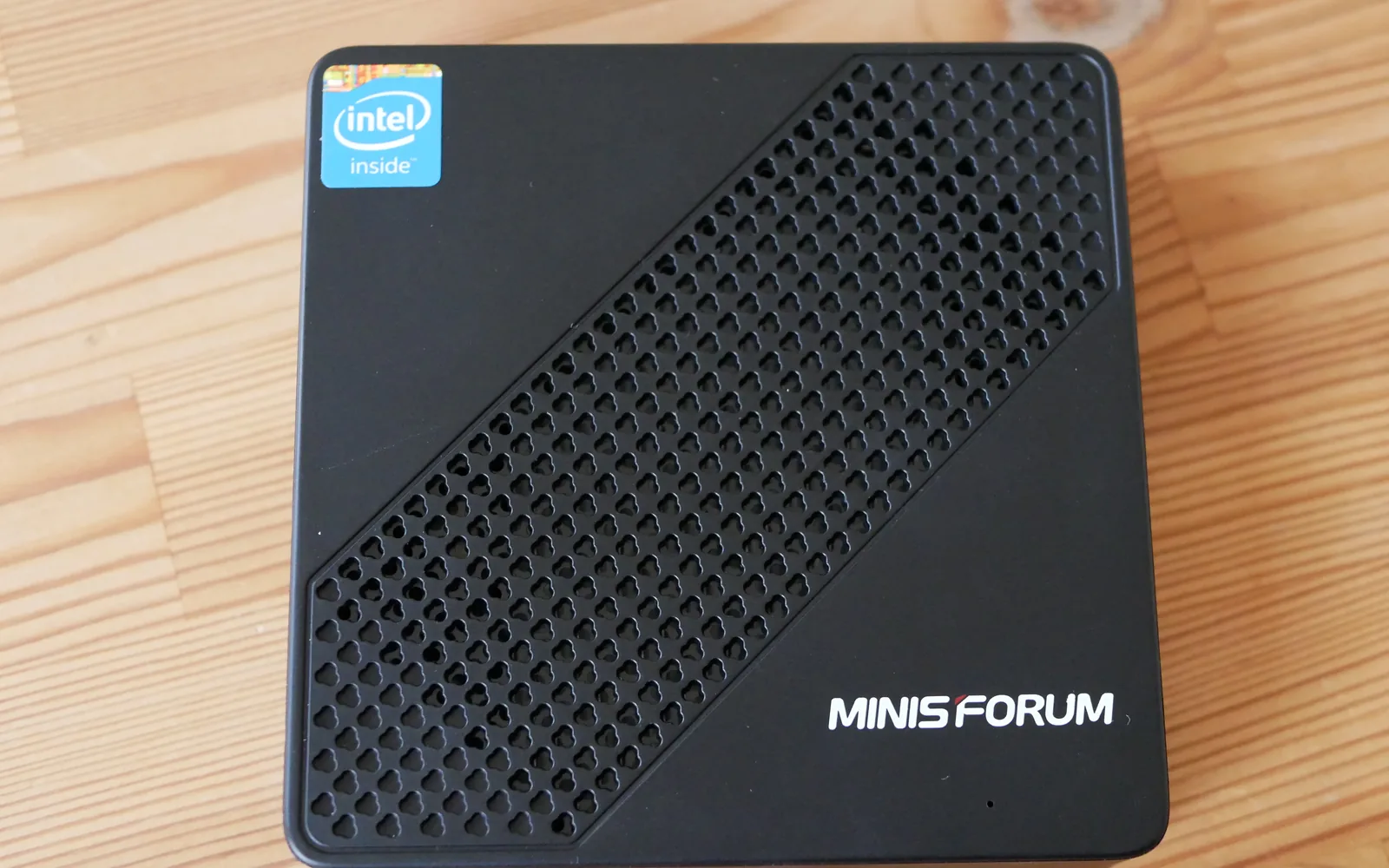
Mixed clients, remote streaming, a 4K HDR library: an N100 or N150 mini PC with Quick Sync on. The ASUS NUC 14 Essential N150 barebone was $239.99 at Newegg on September 24, 2026, plus one DDR5 SO-DIMM (16GB is its maximum) and one M.2 SSD.
The mini PC guide and the N150 guide cover other boxes.
Family server with several remote streams at once: a 12th-gen-or-newer Core with UHD 770, or a laptop-class chip with Iris Xe. The second MFX engine is the capacity step, and Intel has no session cap.
A server with no Intel iGPU (a Ryzen desktop, an Intel F-series chip): add the Arc A380, $139.99 plus $6.99 shipping at Newegg (ASRock Challenger, sold by Newegg). Turn on Resizable BAR if the board offers it and ASPM for idle power, and run Linux kernel 6.2 or newer.
The Arc B570 was $259.99 (ASRock Challenger, sold by Newegg), needs Resizable BAR and kernel 6.12, and Jellyfin describes B-series encode quality as similar to A-series with slightly faster encoding. For transcoding alone the A380 is the buy.
Already running an NVIDIA RTX card: enable NVENC in Jellyfin or Plex and let the media server share it. Buying NVIDIA for this job: the RTX 5050 was $309.99 (GIGABYTE low profile, sold by Newegg) for the 9th-generation NVENC with AV1 encode, on a low-profile board that fits small cases.
Enabling hardware transcoding in Jellyfin
In Jellyfin → Dashboard → Playback → Transcoding:
Intel QSV:
- Set Hardware acceleration:
Intel QuickSync (QSV). On Linux, VA-API is the fallback for older platforms. - Enable only the decode codecs your row in the list above shows.
- Enable tone mapping. OpenCL supports Dolby Vision Profile 5 and more tuning; VPP tone mapping uses Intel’s fixed-function hardware at lower power but runs on Linux only.
- Enable “Allow encoding in HEVC format” only if your clients play HEVC; Jellyfin notes its clients have limited HEVC support, so H.264 stays the common target.
NVIDIA NVENC:
- Set Hardware acceleration:
NVIDIA NVENC - Enable the decode codecs your card’s row shows, and “Enable enhanced NVDEC decoder” if you need Dolby Vision.
- Enable tone mapping. On NVIDIA it runs on CUDA, the only method Jellyfin offers there.
VAAPI (AMD/Intel on Linux):
- Set Hardware acceleration:
Video Acceleration API (VAAPI) - Set device:
/dev/dri/renderD128(or/dev/dri/renderD129for a second GPU)
To check it works, play a video and lower the quality in the player until it transcodes, then watch the video engines. On Windows, Task Manager’s GPU page shows the Video Decode and Video Encode load.
Power cost comparison
An iGPU adds no second device to power: it transcodes inside the CPU the server already runs.
A discrete card adds its own idle draw, 24 hours a day. That idle draw is the real cost. Mine is the one I have numbers for: my RTX 5080 holds 52–71W at the Windows desktop across a week of nvidia-smi captures, because multi-monitor output keeps it in P0 (RTX 5080 power data).
That is a desktop figure, not a headless server’s, and it is why I would not put a big card in a box that exists to serve media. For an Arc card, Jellyfin says to enable ASPM in the BIOS, which greatly reduces its idle power.
Put your card’s idle draw into the Power & Cost Calculator to price it at your own rate, and model the media server as one device in your homelab total.
Looking for a mini PC to run Jellyfin on? The Best Mini PCs for Homelab 2026 covers the Intel QSV-capable options. The 24/7 Idle Power Costs article has measured idle draws for the specific hardware you’re comparing.
For the complete Jellyfin install — Docker Compose, hardware transcoding config, NPM HTTPS, and Tailscale remote access — the Jellyfin Setup on Docker guide covers it end-to-end. And when the streams leave your LAN, the Jellyfin remote access decision guide picks the right path for TVs, family, and CGNAT.
Frequently asked questions
Do I need a dedicated GPU for Plex or Jellyfin transcoding?
Which GPUs does Jellyfin recommend for transcoding in 2026?
Is the GTX 1650 good for Jellyfin or Plex?
Does Jellyfin have better GPU support than Plex?
How many streams can an NVIDIA GeForce card transcode at once?
Did Jellyfin 12.1 drop Quick Sync on older Intel CPUs?
Did Jellyfin drop GTX 10-series (Pascal) hardware transcoding?
Sources and corrections
- Last updated
- Methodology
- See our methodology for research and review standards.
- Corrections
- Spotted an error or a stale number? Email contact@techfuelhq.com. Confirmed corrections are recorded here with the date and change.