
Set a -40 mV voltage offset in AMD Software’s Custom tuning with the power limit at 0%, then go 25 mV deeper per test. Most owner-reported offsets land between -70 and -100 mV. For less heat, add -10% power: ComputerBase’s Pulse at -75 mV drew 273 W instead of 304 W and matched its stock frame rate.
Contents
By LK Wood IV · Published 2026-07-20 · Updated 2026-09-26 · ~9 min read · St. Louis County, MO
Start at -40 mV in AMD Software’s Custom tuning with the power limit left at 0%, then go 25 mV deeper per test. Most offsets in the owners’ sheet sit between -70 and -100 mV. When the RX 9070 XT stays at its power limit, the offset alone will not lower the power draw: it turns the saved voltage into clock speed. Lowering the power limit is what cuts heat in that case. ComputerBase measured the pair I would run on a Sapphire Pulse: -75 mV with a -10% limit drew 273 W instead of 304 W and matched stock frames.
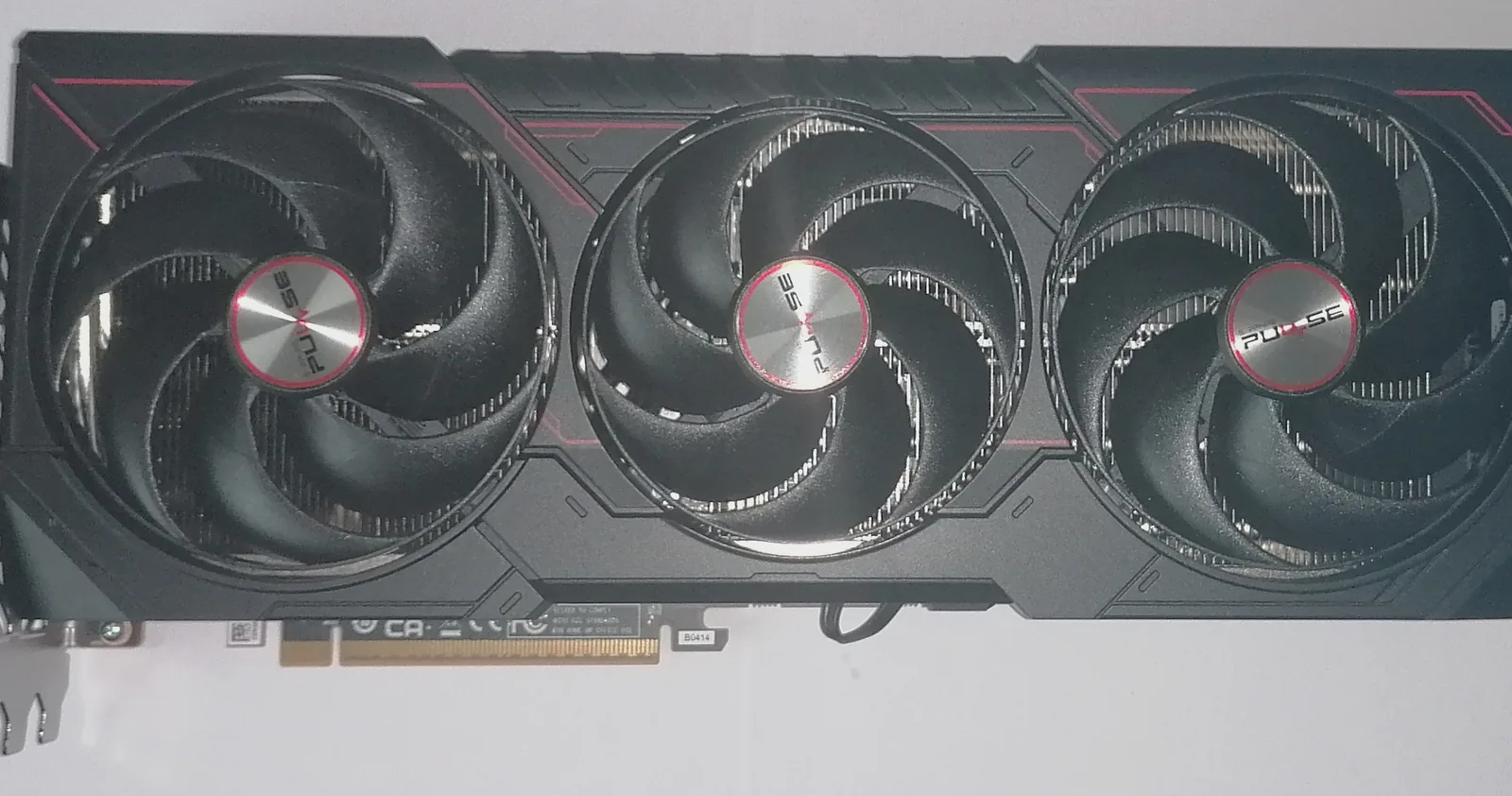
Choosing the physical card is a separate decision from tuning it. Our Sapphire Pulse RX 9070 XT review examines case fit and the published tests of its fan-control behavior before you decide whether that board suits the build.
Two sliders: the offset for speed, the power limit for heat
AMD rates the card at a Typical Board Power of 304 W with a boost clock of up to 2,970 MHz, and partner boards ship higher: 317 W on Sapphire’s Pure, 330 W on Gigabyte’s Gaming OC and 340 W on ASRock’s Taichi. When a game holds the card at its power limit, less voltage per clock leaves watts in the budget and the boost algorithm spends them on a higher clock. The offset then pays back some of the frames that a lower limit costs.
Offset, power limit or both: one card, measured
These eight rows are ComputerBase’s, from its 8 April 2025 test of a Sapphire Pulse that holds AMD’s 304 W, with Cyberpunk 2077 at 3840 × 2160 and FSR Quality and the board power taken from the GPU’s own telemetry rather than a meter. One card, one game. Read the gaps between rows.
| Adrenalin setting | Board power | Avg FPS | FPS vs stock |
|---|---|---|---|
| Stock | 304 W | 70.8 | — |
| -75 mV, 0% limit | 304 W | 73.1 | +3.2% |
| -75 mV, -10% limit | 273 W | 71.6 | +1.1% |
| -10% limit only | 273 W | 69.3 | -2.1% |
| -75 mV, -20% limit | 243 W | 69.1 | -2.4% |
| -20% limit only | 243 W | 66.8 | -5.6% |
| -75 mV, -30% limit | 212 W | 66.6 | -5.9% |
| -30% limit only | 212 W | 63.4 | -10.5% |
The percentages are my arithmetic on ComputerBase’s figures. The offset adds 2.3 FPS at 0%, -10% and -20%, and 3.2 FPS at -30%: 73.1 against 70.8, 71.6 against 69.3, 69.1 against 66.8, 66.6 against 63.4. The card used its full power limit in every row, which is why the offset never moved the watts.
I would pair -75 mV with -10%. Stock frames for 31 W less. ComputerBase’s verdict on it is “das Niveau einer unmodifizierten Radeon RX 9070 XT”, the level of an unmodified card. Keep -75 mV and go to -20% if you want a cooler, quieter card and can give up about 2% against stock.
Owners’ reports from other boards land in the same place:
- The r/radeon mega-thread’s opening post ran a Gigabyte Gaming OC at -80 mV and -23%. Its 315 W became 253 W, Steel Nomad went from 7,263 to 7,168, and the hotspot read 80 °C.
- Another Gaming OC owner in the thread’s results sheet logged 330 W and 7,376 at stock, then 230 W and 7,219 at -100 mV and -30%, with the hotspot going from 88 °C to 77 °C. The tuned row also overclocked memory.
- XDA’s author went from 58 to 64 FPS on a Sapphire NITRO+ at -100 mV, in Cyberpunk 2077 at high settings with medium ray tracing. The article (January 2026) gives no power limit or watts.
One more owner held -80 mV on a Gaming OC and walked the power limit down. At 0% the card drew 330 W and scored 7,864 in Steel Nomad; at -10% it drew 297 W for 7,690; at -15% it drew 282 W for 7,549. The first 10% of limit cost that card 2.2% of its score and the next 5% cost another 1.8%, close to ComputerBase’s 2.1% for its first 10%.
The sheet is self-reported. Of its 83 responses, 74 give a negative offset, 46 of the 74 sit between -70 and -100 mV, and the median is -80 mV. The GPU undervolt settings database collects results like these for other cards, each with its source.
Why undervolting raises clocks on this card
Every chip needs a minimum voltage for a given clock, and my reading is that AMD sets the default high enough for the weakest one. AMD’s tuning article describes the voltage slider as an offset to the entire voltage-frequency curve.
HWCooling tried -100 mV on a Gaming OC. Its explanation is that the offset shifts the clock and voltage curve while the power limit and the board power stay where they were.
When the card is not at its limit, in a light game or behind a frame cap, the same offset can show up as less heat instead. XDA’s author describes that case as the same performance with lower temperatures and fan speed.
The plain RX 9070 (220 W) is RDNA 4 as well, ComputerBase notes that the frequency slider carries the same name on every RDNA 4 card, and the same controls appear on it, so the method below applies with smaller watt figures than the table’s because its limit starts lower.
What you need
AMD Software: Adrenalin Edition, the full installation. As How-To Geek put it in May 2025, it “is all you need to undervolt your AMD GPU”. AMD’s tuning help says the tuning feature is only available with the full installation, so a driver-only install will not show the controls. As of September 26, 2026 the newest release notes are for 26.9.1, dated September 3, 2026.
On RDNA 4 the GPU controls are few. XDA lists a negative voltage offset, a power limit and a maximum frequency offset, and there is no positive voltage offset. HWCooling’s slider ran from 0 to -200 mV. That card could not handle -200 mV; -100 mV worked.
You also need one repeatable test. The owners’ sheet uses 3DMark Steel Nomad. A game’s built-in benchmark works too. The complete GPU undervolting guide covers both brands, and the RTX 5080 guide is the NVIDIA version.
Step 1: Record your baseline
Run your benchmark three times at stock and write down the score, board power, GPU clock and GPU hotspot temperature, a reading AMD’s article says exists on RX 5000-series cards and newer and one that HWiNFO64 can log to a file alongside the rest.
Keep the score. ComputerBase found that RDNA 4, unlike the generation before it, lowers its own clock instead of crashing right away when the offset goes too deep. An unstable setting can look stable and simply run slower.
Step 2: Open the tuning controls
- Open AMD Software and type Tuning into the search box, then open Performance Tuning. This is AMD’s own route in its tuning article (last updated March 2025, written on an RX 7900 XTX).
- Choose Custom under manual tuning and click I Accept on the EULA AMD shows.
- Turn on GPU Tuning. The Voltage Offset and Max Frequency Offset sliders appear.
- Turn on Power Tuning for the Power Limit slider. ComputerBase says most boards allow the limit 10% higher or 30% lower.
AMD’s article also shows a Voltage/Frequency curve chart, but only for the RX 5700 series and Radeon VII. On a 9070 XT the offset slider is the whole voltage control.
Step 3: Apply a conservative undervolt first
- Set the voltage offset to -40 mV with the power limit at 0%. That is XDA’s starting point, and its author says most cards handle at least that much.
- Apply, run the benchmark, and compare the score with your baseline.
- Go 25 mV deeper and repeat. ComputerBase stepped through -25, -50, -75, -100 and -125 mV.
- Stop at the step where the score stops rising or drops. A lower score at a deeper offset is the clock pull-back.
- Keep the deepest offset that still gained, then pick the power limit from the table: 0% for frames, -10% for stock frames at less power, -20% for a quieter card.
At -125 mV, ComputerBase’s Pulse ran Cyberpunk fine. Steel Nomad and Speed Way then crashed in a stability run of almost 20 minutes, and the offset went back to -75 mV.
Step 4: (Optional) Fast Timing and the frequency offset
Fast Timing is AMD’s memory preset for VRAM latency. HWCooling tested it on a Gaming OC and found any difference indistinguishable from normal measurement error. Leave it off unless a game you play shows a gain. AMD’s warranty footnote covers it too.
Max Frequency Offset raises the clock ceiling while the voltage stays put. ComputerBase’s Taichi held +225 MHz. That, ComputerBase warns, will vary from card to card. Add it last, after the offset has passed Step 5.
Step 5: Test for stability (the part people skip)
- Loop Steel Nomad or Speed Way for 20 minutes, the length ComputerBase used.
- Then play your most demanding games for an hour. How-To Geek found that only Unreal Engine 5 games crashed its undervolted card after it had passed a Steel Nomad stress test.
- Treat a lower score, a black screen, a driver timeout or a crash to desktop as a failure. Back off 10 to 25 mV and test again.
- Give a fussy game its own offset. AMD Software’s Add Game Profile keeps a gentler setting for one title without changing the global one.
What to expect
Frames rise about 3% from the offset alone in ComputerBase’s Cyberpunk 2077 test, and XDA’s NITRO+ gained more. In these power-limited runs, watts fall only with the power limit: about 30 W per 10% of limit on a 304 W card, 33 W for the first 10% on the owner’s 330 W Gaming OC. For heat, the clearest owner pair in the sheet is the Gaming OC whose hotspot went from 88 °C to 77 °C at -100 mV and -30%. Memory was overclocked too.
If you are still choosing a card, the RTX 5070 Ti vs RX 9070 XT comparison weighs the XT against NVIDIA at stock.
Make it stick, and size your build
Check the tuning page after any crash and after every driver install, because AMD’s article says a crash during its own stress test resets tuning to default and whysogeek reports the same reset after a driver update.
Size the power supply for the card’s stock limit rather than the undervolted draw, because a reset puts it straight back there. The PSU wattage calculator does the math for a 9070 XT build, and the power cost calculator turns 31 W into a yearly figure at your rate.
AMD’s Adrenalin performance page says Performance Tuning lets you overclock or undervolt the GPU. Its footnote adds that altering memory timing or voltage beyond stock specifications will void any applicable AMD product warranty, even through AMD’s own software, and may void a system maker’s or retailer’s warranty too. Read your card maker’s terms before you count on either.
Sources
- ComputerBase, Navi 48 mit weniger TDP & UV im Test and page 2, DevPandi, April 8, 2025 (Sapphire Pulse at 304 W; the power limit range; the offset ladder and the -125 mV crash; RDNA 4’s clock pull-back; the eight-setting Cyberpunk 2077 matrix and its board power). Read 2026-09-26.
- ComputerBase, Navi 48 mit OC & UV im Test, Wolfgang Andermahr, March 20, 2025 (ASRock Taichi; the Max Frequency Offset name on every RDNA 4 card; +225 MHz). Read 2026-09-26.
- AMD, Radeon RX 9070 XT and Radeon RX 9070 specifications (Typical Board Power 304 W and 220 W; boost up to 2,970 MHz). Read 2026-09-26.
- AMD, Customize GPU Performance Tuning with AMD Software, DH3-020, last updated March 3, 2025, written for Adrenalin 23.9.1 on an RX 7900 XTX (the search route, Custom and I Accept, the voltage offset, the curve chart’s card list, the hotspot reading, Add Game Profile, Fast Timing, the reset after a failed stress test, the full-installation requirement). Read 2026-09-26.
- AMD, Adrenalin Edition 26.9.1 release notes, September 3, 2026, and the Adrenalin performance tuning page with its warranty footnote. Read 2026-09-26.
- HWCooling.net, Tuning Gigabyte Radeon RX 9070 XT Performance in AMD Software, Adam Vágner, September 22, 2025, updated May 19, 2026 (the 330 W board limit, -30% to 231 W, the -200 mV slider range and unchanged power at -100 mV, Fast Timing). Read 2026-09-26.
- XDA, I undervolted my GPU and got the upgrade I actually wanted, January 2026 (NITRO+ at -100 mV, 58 to 64 FPS), and Please stop chasing GPU overclocks before you undervolt, October 11, 2025 (the -40 mV start, RDNA 4’s three controls). Read 2026-09-26.
- r/radeon, 9070 XT Undervolt/Overclock/Brand mega-thread, posted March 8, 2025, read through its February 2, 2026 Wayback capture because Reddit refuses automated reads, and the thread’s owners’ results sheet (83 responses, January 24 to September 23, 2026; self-reported). Read 2026-09-26.
- How-To Geek, 8 Tips for Undervolting Your Gaming GPU, May 2025 (Adrenalin is all you need, Unreal Engine 5 crashes, per-game profiles). Read 2026-09-26.
- whysogeek, Undervolt and Overclock the RX 9070 XT (2026), June 26, 2026 (tuning reset after a driver update or crash). Read 2026-09-26.
Frequently asked questions
Is it worth undervolting a 9070 XT?
How much should I undervolt the RX 9070 XT?
How do I undervolt the RX 9070 XT?
Can undervolting damage my GPU?
Does undervolting the 9070 XT reduce performance?
Will undervolting void my RX 9070 XT warranty?
Sources and corrections
- Last updated
- Methodology
- See our methodology for research and review standards.
- Corrections
- Spotted an error or a stale number? Email contact@techfuelhq.com. Confirmed corrections are recorded here with the date and change.