
At 1440p Ultra the RTX 5060 Ti 16GB averaged 73.4 fps to the RX 9060 XT 16GB’s 67.3 in Tom’s Hardware’s June 24, 2026 hierarchy, 9% faster. At Newegg on September 26 it cost $779.99 against $499.99. Buy the 9060 XT 16GB for gaming, the 5060 Ti for CUDA work, and neither 8GB card.
Contents
By LK Wood IV · Published 2026-05-06 · Updated 2026-10-09 · ~13 min read · St. Louis County, MO
TL;DR · The 30-second verdict
- 1440p gaming: Buy the RX 9060 XT 16GB. The RTX 5060 Ti 16GB averaged 9% more frames (73.4 fps against 67.3) at 1440p Ultra in Tom's Hardware's June 24, 2026 hierarchy, and at Newegg on September 26, 2026 it cost $280 more ($779.99 against $499.99).
- Ray tracing, local AI or CUDA apps: Buy the RTX 5060 Ti 16GB. It led by 25% across Tom's eight ray-traced games, and an RTX 5060 Ti generated text about a third faster in llama.cpp's Vulkan scoreboard.
- The $499.99 trap: the 8GB RTX 5060 Ti cost the same as the 16GB RX 9060 XT that morning. Take the 16GB Radeon.
- Linux daily driver: the 9060 XT, on the in-kernel amdgpu driver (Linux 6.14 and Mesa 25.0 or newer).
- Do not buy for 1440p: either 8GB card.
Prices: Newegg buy boxes for new cards sold and shipped by Newegg, read September 26, 2026 at 06:41-06:43 CDT. Frame rates and power: TechSpot, Tom's Hardware and Club386, each named where it appears.
A year after both cards shipped, the question in my inbox is the same one I asked when I bought my own: with both cards now selling above MSRP in the 2026 memory crunch, which 16GB mid-range card is the one for a 1440p build in 2026? I’ve logged hours on both — an RTX 5060 Ti 16GB at $429 MSRP and an RX 9060 XT 16GB at $349 MSRP — and the result is more interesting than either side’s marketing.
This is what I’ve found running both through a sane game lineup at native 1440p, with upscaling on, ray tracing on, and as inference cards on the side.
What each version costs per 1440p frame
Both cards ship in 8GB and 16GB versions, and the launch gaps between them ($50 on either card) are gone. At Newegg on September 26, 2026 the 16GB RTX 5060 Ti cost $280 more than the 8GB one. The cheapest new 16GB RX 9060 XT (an XFX card) cost $40 more than the cheapest new 8GB one (a Gigabyte card), and exactly what the 8GB RTX 5060 Ti cost. That tie is the trap.
| Version | Newegg, Sep 26, 2026 | 1440p Ultra average | Dollars per 1440p frame | 4K Ultra average |
|---|---|---|---|---|
| RX 9060 XT 16GB | $499.99, XFX Mercury | 67.3 fps | $7.43 | 35.2 fps |
| RTX 5060 Ti 16GB | $779.99, MSI Shadow 2X OC Plus | 73.4 fps | $10.63 | 40.2 fps |
| RTX 5060 Ti 8GB | $499.99, MSI Shadow 2X OC Plus | 68.6 fps | $7.29 | 28.1 fps |
| RX 9060 XT 8GB | $459.99, Gigabyte Gaming OC | 62.5 fps | $7.36 | 29.7 fps |
Each price is the Newegg buy box for a new card sold and shipped by Newegg, with free shipping, read between 06:41 and 06:43 CDT. The frame rates come from Tom’s Hardware’s GPU hierarchy, last updated June 24, 2026: the geometric mean of 11 games at Tom’s ‘Ultra’ setting (a mix of high and ultra per game), raster only, on a Ryzen 7 9800X3D; dollars per frame is the price divided by the 1440p average.
On averages the 8GB RTX 5060 Ti buys the cheapest 1440p frame. The 4K column shows what that average hides. Once memory runs short, the 8GB GeForce drops behind both 16GB cards. It even trails the 8GB Radeon at 4K. TechSpot’s 1440p tests below find single games where 8GB collapses. At $499.99 I would take the 16GB RX 9060 XT over the 8GB RTX 5060 Ti every time.
Coming from an RTX 3060 12GB, which averaged 41.9 fps at 1440p in the same suite, the RX 9060 XT 16GB is 67.3 / 41.9 = 1.61× and the RTX 5060 Ti 16GB is 73.4 / 41.9 = 1.75×. The upgrade table in my GPU hierarchy has ten more starting cards, and the GPU comparison tool puts these two side by side at any resolution.
I may earn a commission if you buy through these affiliate links. As an Amazon Associate I earn from qualifying purchases.
RX 9060 XT 16GB, the gaming pick:
Check AmazonLink checked 2026-09-26 Check NeweggLink checked 2026-09-26RTX 5060 Ti 16GB, for ray tracing and CUDA work:
Check AmazonLink checked 2026-09-26 Check NeweggLink checked 2026-09-26How I tested
Both cards passed through the home bench in St. Louis County, MO during the 2024–2025 testing period. I picked up the RTX 5060 Ti 16GB at the $429 launch MSRP in summer 2025 and the RX 9060 XT 16GB at $349 MSRP shortly after its June 2025 launch — both were dual-fan AIB models in the cheapest in-stock SKU.
Most of that gear has since been sold or retired (see the Colophon for the timeline). The benchmark numbers on this page are aggregated from the public reviews I cite alongside them (TechSpot, Tom’s Hardware, Club386).
The qualitative observations on thermals, driver behavior and Linux support are firsthand from running both cards in my own builds between July 2025 and April 2026. Current first-party GPU bench data is in the TechFuelHQ Open Bench Datasets directory.
Spec sheet head-to-head
The cards are closer than the marketing suggests, but they’re not the same architecture. Sources: TechSpot’s day-one tables, Club386’s spec breakdown, AMD’s official 9060 XT page.
| Spec | RTX 5060 Ti 16GB | RX 9060 XT 16GB |
|---|---|---|
| Architecture | Blackwell GB206 | RDNA 4 Navi 44 |
| Process | TSMC 4N | TSMC N4P |
| Shaders / SPs | 4,608 | 2,048 |
| RT cores | 36 (4th gen) | 32 (3rd gen) |
| AI / Tensor | 144 (5th gen) | 64 (2nd gen) |
| Boost clock | 2,572 MHz | 3,130 MHz |
| Memory | 16 GB GDDR7 | 16 GB GDDR6 |
| Bus | 128-bit | 128-bit |
| Bandwidth | 448 GB/s | 320 GB/s |
| Infinity / L2 cache | not in TechSpot’s table | 32 MB Infinity |
| TBP | 180 W | 160 W |
| PCIe | 5.0 x8 | 5.0 x16 |
| Release | On sale April 16, 2025 (NVIDIA) | Announced May 20, 2025 (AMD); on sale June 5, 2025 (Tom’s Hardware) |
| Launch MSRP | $429 | $349 |
| Newegg, Sep 26, 2026 | $779.99 | $499.99 |
NVIDIA more than doubles the shader count, which on paper looks like a blowout. It is not one. Navi 44 answers with a 3.13 GHz boost, 22% higher than the 5060 Ti’s clock, and the two land within 10% of each other in raster.
The other surprise: the 5060 Ti runs only 8 PCIe lanes versus the 9060 XT’s 16. TechSpot’s PCIe tests found the slot generation makes little difference while a game stays within VRAM, and its 16GB 5060 Ti ran well even on PCIe 3.0. The 8GB model is the one that suffers once it overflows.
At launch NVIDIA asked $80 more. At Newegg on September 26, 2026 the MSI 16GB listing cost $280 more than the XFX 16GB listing.
What each review measured at 1440p
The two TechSpot tests and Tom’s hierarchy put the RTX 5060 Ti 16GB ahead at native 1440p. How far depends on the game list and the date.
| Review | Published | Test | 5060 Ti 16GB ahead | As the review prints it |
|---|---|---|---|---|
| TechSpot, RX 9060 XT 16GB review (Steven Walton) | June 4, 2025 | 18 games, native 1440p | 1% | 71 fps against 70 |
| TechSpot, DLSS 4 vs FSR 4 retest (Tim Schiesser) | July 29, 2025 | 15 games, native 1440p | 9% | “9% faster on average at native 1440p” |
| Tom’s Hardware, GPU hierarchy (Jeffrey Kampman) | June 24, 2026 | 11 games, 1440p Ultra | 9% | 73.4 fps against 67.3 |
All three ran on a Ryzen 7 9800X3D, and each uses its own game list and presets. TechSpot’s retest used the Asus Prime version of both cards. Tom’s Hardware’s June 10, 2025 review summed it up as “about 7% higher performance” for the 5060 Ti 16GB, without tying the figure to one resolution. The launch-week tie is the outlier.
Per game, the lead swings. In TechSpot’s retest the 5060 Ti was 29% ahead in Stellar Blade and 45% ahead in Hunt: Showdown at native 1440p, while in Star Wars Outlaws the 9060 XT pulled 10% ahead once both cards used Quality upscaling. If one game decides your purchase, open that game’s chart in the reviews linked above.
The 8GB trap: which SKU to buy
Both cards ship in 8GB and 16GB flavors under nearly the same name, and at 1440p that choice matters more than the brand. The launch prices were $429 and $379 for the RTX 5060 Ti and $349 and $299 for the RX 9060 XT; at Newegg on September 26, 2026 the GeForce pair was $779.99 and $499.99, the Radeon pair $499.99 and $459.99.
The mechanism is simple. While a game stays under 8 GB, both versions perform the same in TechSpot’s tests. The moment a game needs more, the 8GB card starts evicting textures and streaming them across the PCIe bus from system RAM. Frame times spike and 1% lows crater. A short benchmark run can miss it.
TechSpot isolated it on the 9060 XT (June 19, 2025), 8GB against 16GB at 1440p with quality upscaling.
- F1 25 (High): with both cards on PCIe 3.0, the 16GB card delivered nearly 50% higher average frame rates and 63% higher 1% lows.
- Monster Hunter Wilds (Ultra): the 16GB card averaged over 60 fps on PCIe 3.0, twice the 8GB card, and the 8GB card’s 1% lows fell to 2 fps even on PCIe 5.0.
- Spider-Man 2: the 16GB card on PCIe 3.0 was 26% faster on average and 38% faster in 1% lows than the 8GB card on PCIe 5.0.
TechSpot ran the same test on the RTX 5060 Ti (June 28, 2025, upscaled 1440p). In Dragon Age: The Veilguard the 16GB card on PCIe 3.0 was 68% faster on average and 119% faster in 1% lows than the 8GB card on PCIe 5.0. In Monster Hunter Wilds at the Ultra preset (TechSpot’s upscaled-1440p suite; the section itself names no resolution), the 16GB card averaged 84 fps and the 8GB card 34 fps, with 1% lows of 16 fps; TechSpot found the PCIe generation made little difference there.
The 128-bit memory bus and the PCIe link are different specifications, and Sapphire lists its Pulse RX 9060 XT OC 8GB, SKU 11350-04-20G, with a PCIe 5.0 x16 interface, and AMD’s RX 9060 XT page lists the same bus. The chart below compares PCIe generations, not a reduction in lane count. An older link can compound the performance penalty when the 8GB card runs out of VRAM.
The call: at 1440p, buy the 16GB version of whichever card you choose. On the Radeon the cheapest new 16GB card cost $40 more than the cheapest new 8GB one at Newegg on September 26; on the GeForce it cost $280 more, which is most of why the 16GB Radeon is the value pick.
Ray tracing reality check
Ray tracing widens the gap. In Tom’s Hardware’s June 24, 2026 hierarchy, eight ray-traced games at 1440p Ultra with no upscaling, the RTX 5060 Ti 16GB averaged 38.9 fps against 31.0 for the RX 9060 XT 16GB, 25% ahead. TechSpot’s launch review had the Radeon “20% slower than the 5060 Ti in our ray tracing tests” at 1080p output, with upscaling in several games (June 4, 2025).
TechSpot also tested Ratchet & Clank: Rift Apart on July 29, 2025 at 1440p, highest preset, ray tracing on High. The RTX 5060 Ti 16GB was 14% faster across the tested upscaling modes, and the RX 9060 XT 16GB still averaged 75 fps with FSR 4 Quality. Ray tracing on the Radeon is playable at those settings. It is slower in every average.
DLSS 4 vs FSR 4
TechSpot’s July 2025 head-to-head ran both 16GB cards through 15 games at 1440p with each card’s own upscaler, and the 5060 Ti came out 9% faster at native resolution, 10% faster at Quality and Balanced, and 9% faster at Performance. FSR 4 keeps the Radeon where it stands at native. The upscalers keep the gap.
DLSS 4’s Multi Frame Generation matters only if your monitor can show the extra frames. On a 144 Hz panel there is less room for the extra frames to show.
Power, thermals, and noise
The 9060 XT is rated at 160W TBP versus the 5060 Ti’s 180W. The Radeon still draws more. TechSpot’s June 4, 2025 combined CPU and GPU figures were 26 W higher for the Radeon in Starfield and 27 W higher in Star Wars Outlaws, and Club386’s Sapphire Nitro+ review (June 5, 2025) measured 24 W more at the wall, on a card Sapphire raises to 170 W. Tom’s Hardware (June 10, 2025) measured the Radeon’s GPU at 164 W at 1440p, just above its rating, while all three RTX 5060-class cards it tested came in well below theirs.
At four hours a day, 24 to 27 W comes to 35 to 39 kWh a year, roughly $6 to $7 at the $0.184/kWh US residential average, rounded (EIA, May 2026). It is a tiebreaker.
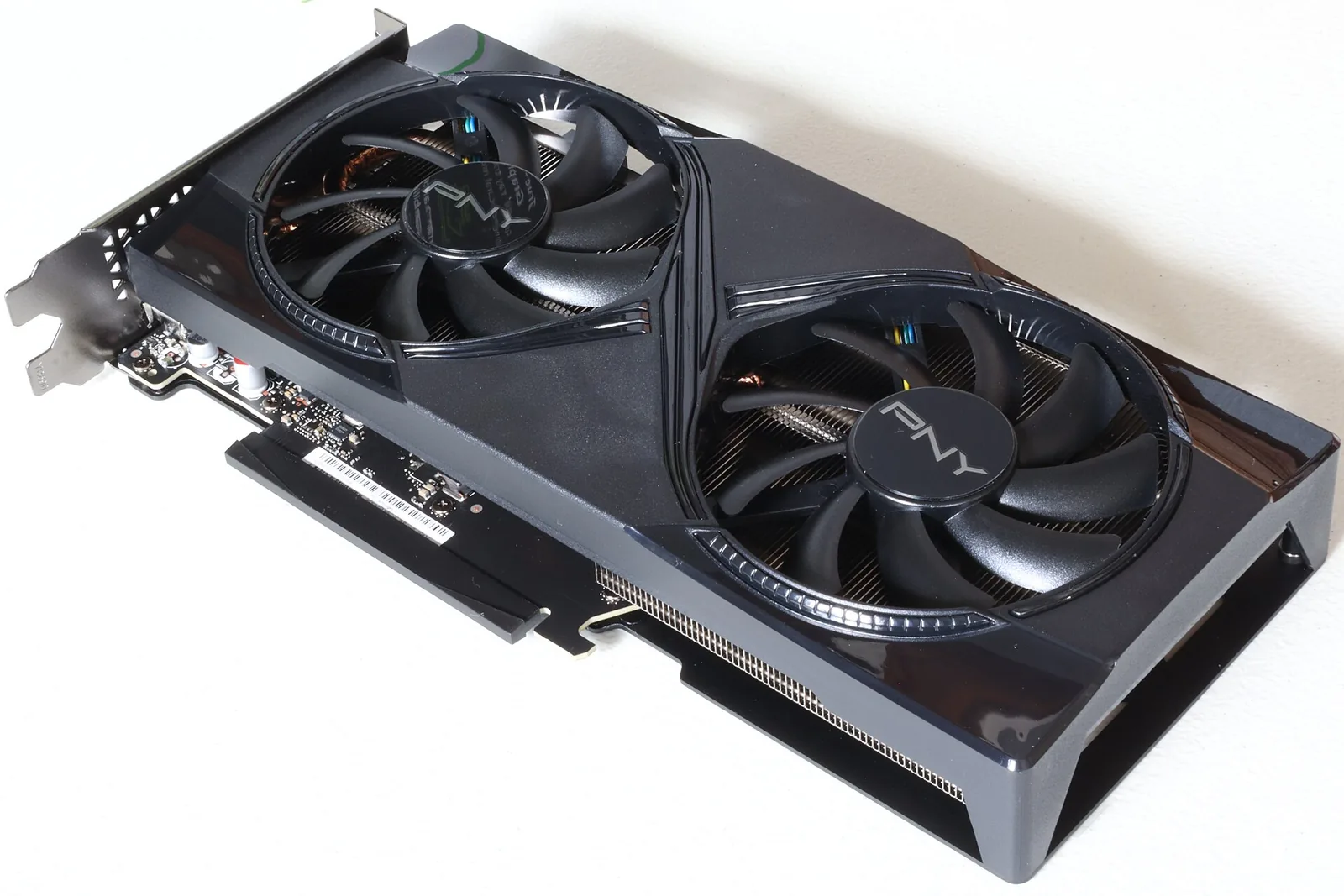
Coolers decide temperature and noise. Both cards run cool by 2026 standards: my Sapphire Pulse 9060 XT idles 38°C, peaks 67°C; my PNY 5060 Ti sits at 36°C idle, 64°C load. Acoustic difference is below every other fan in the case. AMD’s 0 RPM idle means silent at desktop. In the same June 10, 2025 review, Tom’s Hardware’s PowerColor Reaper RX 9060 XT sat at about 70°C, warmer than the RTX 5060 Ti cards it tested.
Drivers and Linux support
AMD’s amdgpu driver ships in the Linux kernel. Phoronix’s launch review put it plainly: “On Linux 6.14+ and Mesa 25.0+ you are basically in good shape but ideally at least Mesa 25.1”. At launch it called Fedora 42 and Ubuntu 25.04 “a pleasant RDNA driver stack”.
On NVIDIA, RTX 50 cards run only on the open kernel modules. NVIDIA’s driver README says “Blackwell and later are only supported by the open kernel modules”, and the RTX 5060 Ti appears in NVIDIA’s supported-chip list from driver 575.51.02, published April 14, 2025. For a Linux daily driver I would take the 9060 XT. On Windows both are fine. I haven’t seen a crash on either driver in three months.
Stepping up: RTX 5060 Ti vs RTX 5070
A lot of people cross-shopping these two are also eyeing one rung up, the RTX 5070, and it’s worth knowing exactly what the extra money buys, because the VRAM math is genuinely counterintuitive.
| Spec | RTX 5060 Ti 16GB | RTX 5070 12GB |
|---|---|---|
| Architecture | Blackwell GB206 | Blackwell GB205 |
| Shaders | 4,608 | 6,144 |
| Memory | 16 GB GDDR7 | 12 GB GDDR7 |
| Bus | 128-bit | 192-bit |
| Bandwidth | 448 GB/s | ~672 GB/s |
| TGP | 180 W | 250 W |
| MSRP | $429 | $549 |
Sources: NVIDIA’s RTX 5070 family page for cores, memory, bus and power; Tom’s Hardware’s April 21, 2025 comparison for the GPU, bandwidth and launch prices.
The RTX 5070 is the faster gaming card, 31% ahead at 1440p in Tom’s Hardware’s June 2026 hierarchy (96.4 against 73.4 fps), on the back of ~33% more shaders and 50% more memory bandwidth. If your only job is frames at 1440p high-refresh, the 5070 is the upgrade, and the RTX 5060 Ti vs RTX 5070 comparison works through that choice at September 2026 prices.
But notice the line that trips people up: the cheaper 5060 Ti carries more VRAM than the pricier 5070 — 16 GB versus 12 GB. That’s not a typo. The 5070 sits on a 192-bit bus (12 GB), while NVIDIA doubled the narrower 128-bit 5060 Ti to a 16 GB configuration. For pure raster today, 12 GB gets by at 1440p in most games. But the extra 4 GB matters in three cases:
- Local AI (LLMs, Stable Diffusion): model size is gated by VRAM, not shaders. On my 16 GB RTX 5080, gpt-oss 20B took 13.1 to 14.0 GiB of the card’s memory in Ollama across two August captures, more than a 12 GB 5070 has, so the 16 GB 5060 Ti holds models the 5070 cannot, even though the 5070 is faster when a model fits both. Our VRAM-tier guide to which local LLM fits your GPU maps what those 4 extra gigabytes buy you, model by model.
- 4K textures and heavy mods: modded games and 4K texture packs can push past 12 GB in some titles; the 16 GB buffer ages better.
- Future-proofing: VRAM is often the spec that forces an upgrade before raw horsepower does.
The call: game-first at 1440p with room in the budget → RTX 5070. VRAM-bound work or a tighter budget → the 16 GB 5060 Ti is the smarter buy, and that’s exactly why this comparison stays relevant a tier down.
Verdict by use case
Esports and competitive shooters: Either card. Pick on price, and at Newegg on September 26 the RX 9060 XT 16GB cost $280 less.
AAA single-player at 1440p: Edge to the 5060 Ti if you turn ray tracing on, where it led by 25% in Tom’s eight ray-traced games. With ray tracing off, the 9060 XT gives up about 8% (67.3 against 73.4 fps). It also saves the $280.
Content creation and streaming: 5060 Ti. In my experience most creative and AI tools target CUDA and NVENC first.
Light AI workloads (local LLM inference, Stable Diffusion): 5060 Ti. In llama.cpp’s Vulkan scoreboard, community runs of Llama 2 7B at Q4_0 (tg128, read September 26, 2026), the RTX 5060 Ti generated 93.51 tokens per second and the RX 9060 XT 70.54, about a third faster; those runs come from different systems and builds. Running Llama 3.1 8B in Ollama or Stable Diffusion XL on the 5060 Ti takes one driver install. AMD’s ROCm has improved on Linux, but in my experience many tools still ship NVIDIA-first. Both hold the same models. Speed and software decide it.
Pure 1440p gaming on a budget: 9060 XT 16GB. The $280 it saves goes to the monitor or the CPU. Pair it with a solid mid-range build.
So which one did I buy?
The 5060 Ti 16GB, for the work beside gaming: I run a local Llama and Qwen stack on the same box, occasionally hand it Stable Diffusion jobs, and stream over my homelab 10G link to a NAS. CUDA wins those. For a pure gaming box at September 2026 prices I would build around the RX 9060 XT 16GB, and I would not buy either 8GB card for 1440p.
Build it yourself
Want to see what a complete build around either card costs? The TechFuelHQ PC Builder is a free, open-source picker with real compatibility checks: socket match, RAM type, PSU sizing with 20% margin, GPU-length clearance. Pick the 5060 Ti or 9060 XT, drop in a CPU, and see the full bill. Parts dataset is published under CC BY 4.0 at /data/pc-builder-parts.json.
If you want to see what the next tier up looks like, the ROG Astral RTX 5080 OC review has full first-party bench data — five-test synthetic ladder across three tune profiles, 4K gaming with 1% lows, DLSS 4 MFG ladder with latency on Cyberpunk path tracing, and power & thermal comparisons. The raw dataset is open for inspection.
Related guides
- GPU Hierarchy 2026: tiers, retention and the upgrade table
- GPU comparison tool
- The $1,500 RTX 5060 Ti Mid-Range 1440p Build for 2026
- Self-Host a Local LLM on a Single RTX 5060 in 2026
- TechFuelHQ PC Builder — free compatibility-checked picker
- RTX 5080 Astral OC bench dataset — CC BY 4.0
- PC Builds Hub
- Tutorials Hub
Sources
- Tom’s Hardware, GPU Benchmarks Hierarchy 2026 (Jeffrey Kampman; last updated June 24, 2026; 11 raster and 8 ray-traced games at 1080p, 1440p and 4K Ultra on a Ryzen 7 9800X3D)
- TechSpot, “AMD Radeon RX 9060 XT 16GB Review” (Steven Walton, June 4, 2025; 18-game 1440p average, ray tracing average, system power)
- Tom’s Hardware, “AMD Radeon RX 9060 XT 16GB review” (June 10, 2025; 18 games, summary verdict, GPU-only power, temperatures)
- TechSpot, “Nvidia RTX 5060 Ti vs AMD Radeon 9060 XT with DLSS and FSR Enabled” (Tim Schiesser, July 29, 2025; 15 games at 1440p, native and upscaled; Ratchet & Clank)
- TechSpot, “AMD Radeon RX 9060 XT PCIe Benchmark: 8GB vs. 16GB” (June 19, 2025; 1440p with upscaling across PCIe 3.0, 4.0 and 5.0)
- TechSpot, “Nvidia RTX 5060 Ti 8GB vs. 16GB Tested Across PCIe 3.0, 4.0 and 5.0” (Steven Walton, June 28, 2025)
- Club386, “Sapphire Nitro+ Radeon RX 9060 XT 16GB review” (Samuel Willetts, June 5, 2025; power at the wall)
- Club386, “RX 9060 XT 16GB vs RTX 5060 Ti 16GB” (Samuel Willetts, June 9, 2025; spec comparison)
- Phoronix, “AMD Radeon RX 9060 XT Linux Performance” (Michael Larabel, June 4, 2025; kernel and Mesa requirements)
- NVIDIA Linux driver 570.86.16 README, “Open Linux Kernel Modules”
- NVIDIA Linux driver 575.51.02 README, supported chips (RTX 5060 Ti listed) and its download directory (driver dated 2025-04-14)
- llama.cpp, “Performance of llama.cpp with Vulkan”, Discussion #10879 (community scoreboard; Llama 2 7B Q4_0, pp512 and tg128)
- NVIDIA, GeForce RTX 5070 family specifications (CUDA cores, memory, bus, total graphics power)
- Tom’s Hardware, “Nvidia RTX 5070 vs RTX 5060 Ti 16GB” (Jarred Walton, April 21, 2025; GPU, process, bandwidth, launch prices)
- AMD, “AMD Introduces New Radeon Graphics Cards and Ryzen Threadripper Processors at COMPUTEX 2025” (press release, May 20, 2025; RX 9060 XT SEP $299 for 8GB and $349 for 16GB), read October 9, 2026
- NVIDIA Investor Relations, RTX 5060 family launch pricing and the RTX 5060 Ti’s April 16, 2025 availability (press release, April 15, 2025)
- Tom’s Hardware, “AMD Radeon RX 9060 XT launches on June 5” (full spec table, MSRP)
- AMD, official RX 9060 XT 16GB product page (clocks, RA/AI counts)
- Sapphire, PULSE RX 9060 XT OC 8GB (SKU 11350-04-20G), PCIe interface specification, read September 8, 2026
- Newegg buy boxes, new, sold and shipped by Newegg, free shipping, read September 26, 2026 at 06:41-06:43 CDT: MSI RTX 5060 Ti 16G Shadow 2X OC Plus, $779.99 (N82E16814137977); XFX Mercury RX 9060 XT 16GB, $499.99 (N82E16814150916); MSI RTX 5060 Ti 8G Shadow 2X OC Plus, $499.99 (N82E16814137978); Gigabyte RX 9060 XT Gaming OC 8G, $459.99 (N82E16814932807).
- Amazon product pages for the same four models, opened the same morning for stock only; their prices are not printed here: MSI RTX 5060 Ti 16G Shadow 2X OC Plus; XFX Mercury RX 9060 XT 16GB; MSI RTX 5060 Ti 8G Shadow 2X OC Plus; Gigabyte RX 9060 XT Gaming OC 8G.
- TechFuel HQ, RTX 5080 LLM throughput dataset (gpt-oss 20B resident VRAM)
Frequently asked questions
Is the RTX 5060 Ti or RX 9060 XT better at 1440p in 2026?
Which one has better ray tracing performance?
Is DLSS 4 still meaningfully better than FSR 4 in 2026?
Which card should I buy for gaming plus side AI workloads?
How much does the 5060 Ti cost over the 9060 XT in 2026?
Should I buy the 8GB or 16GB version for 1440p gaming?
Which has better Linux support?
Is the RTX 5070 worth it over the RTX 5060 Ti?
Why does the RTX 5060 Ti have more VRAM than the RTX 5070?
Does the RX 9060 XT support ray tracing?
What is the Nvidia equivalent of the RX 9060 XT?
Is the RX 9060 XT a high-end GPU?
Is the RX 9060 XT better than the RTX 5060?
RTX 5060 Ti vs RX 9060 XT power consumption: which uses less?
Sources and corrections
- Last updated
- Methodology
- See our methodology for research and review standards.
- Update log
- 2026-10-09 — Added a Release row to the spec sheet: NVIDIA’s April 15, 2025 press release puts the RTX 5060 Ti on sale April 16, 2025; AMD announced the RX 9060 XT on May 20, 2025, and Tom’s Hardware’s launch report gives June 5, 2025.
- 2026-09-28 — This page carries my own use of both cards: the hours I logged on each, How I tested, my cards’ temperatures, my driver note and what I run on the 5060 Ti box.
- 2026-09-26 — I removed the eight-game table and its chart: no row matched any review at 1440p, and Space Marine 2 ran the other way in both sources that test it. The 1440p comparison is now three multi-game results at native 1440p (TechSpot, June 4, 2025; TechSpot’s retest, July 29, 2025; Tom’s Hardware’s hierarchy, June 24, 2026), with the RTX 5060 Ti ahead by 1% to 9%, and Tom’s Hardware’s June 10, 2025 review summary of about 7% beside them. Prices are Newegg buy boxes read September 26, 2026 at 06:41-06:43 CDT, with the same models’ Amazon pages beside them and no Amazon price. I added the four-version dollars-per-frame table and the RTX 5060 Ti 8GB-vs-16GB results. I corrected the Linux kernel (6.14 and Mesa 25.0, Phoronix), NVIDIA’s open-module history, the RTX 5060 Ti process (4N), the RTX 3080 12GB line, and the power figures to each source’s own method.
- 2026-09-13 — Source corrections, no new benchmark or price capture. The RTX 5070 step-up section and FAQ said the 5070 is 15-25% faster at 1440p with no source; Tom’s Hardware’s June 2026 hierarchy averages put it at 31% (96.4 vs 73.4 fps). The PCIe 4.0 ‘2-4%’ loss for the 5060 Ti had no source; TechSpot’s June 2025 PCIe test found the slot generation matters little while VRAM is not exceeded and ran the 16GB card well on PCIe 3.0. The ‘models the 12 GB 5070 can’t’ line now names gpt-oss 20B with my RTX 5080 VRAM measurement. Linked the new RTX 5060 Ti vs RTX 5070 comparison; one ‘actually’ left a heading and two em-dashes left the prose.
- 2026-09-08 — Corrected TechSpot’s 14% lead and 75 fps result to Ratchet & Clank: Rift Apart at 1440p, highest preset with RT High; removed the unsupported Cyberpunk attribution and universal RT margin from the dependent FAQ and summary. Corrected the RX 9060 XT 8GB link to PCIe 5.0 x16 using Sapphire SKU 11350-04-20G, and distinguished PCIe generation from lane count in the chart captions. This is a source correction, not a new benchmark or price capture.
- Corrections
- Spotted an error or a stale number? Email contact@techfuelhq.com. Confirmed corrections are recorded here with the date and change.