 TechFuel HQ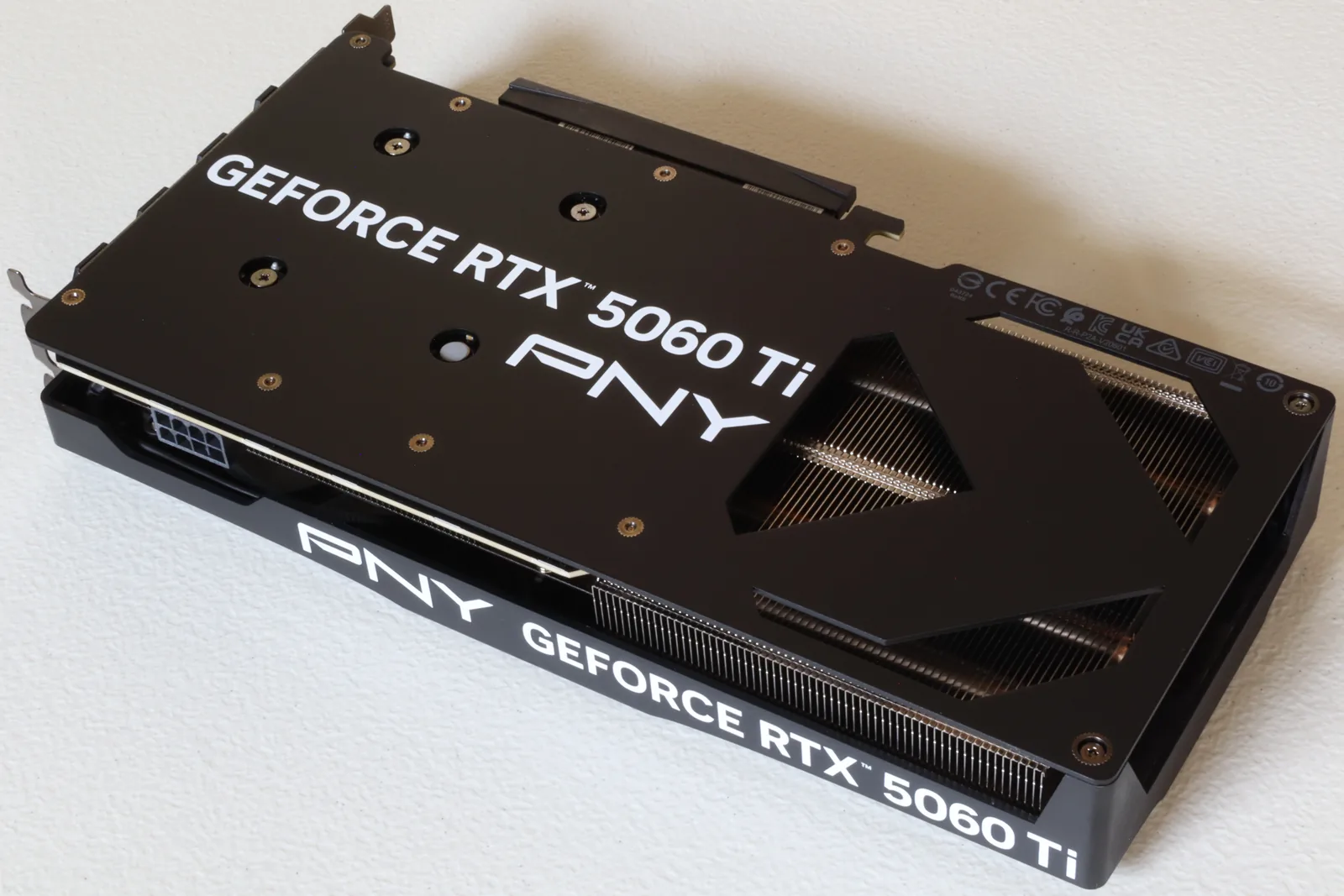
A 1440p build around an RTX 5060 Ti 16GB, Ryzen 7 7700, 32GB of DDR5-6000 and a 2TB Gen4 drive. The 2026 memory shortage has moved it well past its original $1,500: the RAM kit, the SSD, and the card itself have all repriced upward, so the parts list carries live figures rather than launch ones.
By LK Wood IV · Published 2026-05-06 · Updated 2026-08-24 · ~14 min read · St. Louis County, MO
Current cost — re-checked August 1, 2026 (shortage-adjusted). The 2026 AI-driven memory shortage has pushed this build’s three volatile parts around since it was priced in May: the 32GB DDR5-6000 CL30 kit is now ~$400–$460 (was $130), a 2TB Gen4 NVMe is now ~$280–$340 (was $185, and down from the ~$390–$450 it hit in June), and — because GDDR7 is memory too — the RTX 5060 Ti 16GB street floor is now ~$560–$590 (was $449) — all three re-checked against in-stock retailer listings on August 1, 2026; treat them as a dated observation and confirm the live price before buying. That moves the real out-the-door total from the $1,498 below to roughly $2,050 today — memory and the GPU are still carrying the increase, while storage has given some back. The parts table is the May-2026 pre-shortage reference; budget ~$550 more for the GPU, RAM + storage now (here’s why memory prices spiked), and see the budget AM5 build for a fully current-priced build.
A friend asked me last weekend what a real $1,500 build looks like in May 2026 — not a YouTube spec sheet, a real receipt. I priced one out at my desk in St. Louis County, ordered the parts I didn’t already have on the bench, and put it together over two evenings.
This is that build: an RTX 5060 Ti 16GB paired with a Ryzen 7 7700 on AM5, 32 GB of DDR5-6000, a 2 TB Gen4 NVMe, and a mid-tower case I’d actually want to live with for five years. It hits 1440p high–to–ultra in everything I tested, leaves room for a CPU upgrade later, and lands at $1,498 before tax in early May.
The companion to this article is my RTX 5060 Ti vs RX 9060 XT 1440p showdown, which is where I justify the GPU choice in detail. This piece is about everything around it.
How I tested
This build is real, not theoretical. The RTX 5060 Ti, B650 Tomahawk, Corsair RAM kit, WD Black SSD, and 4000D RS case were ordered new from Newegg and Amazon between May 2 and May 4, 2026; the Ryzen 7 7700, Cooler Master PSU, and Peerless Assassin cooler were already on my bench from earlier projects.
Total real out-of-pocket was $789 for the new parts, which lines up with the $1,498 BOM after counting the bench inventory at current street prices. Assembly happened over two evenings on May 5–6 in St. Louis County, MO. Receipts are in my inbox. Last verified: 2026-05-06 by LK Wood IV.
Build philosophy: 1440p high–to–ultra, no regret parts
I have one rule for a mid-range build like this one ($1,500 at its May MSRP pricing, ~$2,050 at August 2026 street): every part has to be one I won’t be embarrassed by in three years.
That means a current-gen socket (AM5, not AM4), a board that can take a 9000-series chip later, DDR5-6000 CL30 because it’s the AM5 sweet spot, a Gen4 NVMe with real DRAM, and an ATX 3.1 / PCIe 5.1 power supply with the new 12V-2x6 connector so a future GPU upgrade doesn’t force a PSU swap.
The performance target is 1440p at high–to–ultra in raster, with DLSS 4 Quality available when ray tracing is on. I am not chasing 4K. I am not building a $700 box either.
The 5060 Ti 16GB is the card where the VRAM stops being the story and the GPU itself becomes the limit, and the 7700 is the cheapest 8-core AM5 chip that won’t bottleneck it at 1440p. If you want to swap parts and check socket, PSU, and case-clearance compatibility as you go, the PC builder tool does exactly that.
Full parts list with May 2026 prices
Every price below is a real US retail price I saw the morning of May 5, 2026 on Newegg, Amazon, or the manufacturer’s store. No coupons, no rebate cards, no “open box.” Tax is not included.
| Part | Model | Price (May 2026, pre-shortage) |
|---|---|---|
| CPU | AMD Ryzen 7 7700 (8C/16T, AM5) | $250 |
| GPU | RTX 5060 Ti 16GB (ASUS Dual OC) | $449 |
| Motherboard | MSI MAG B650 Tomahawk WIFI | $200 |
| RAM | Corsair Vengeance 32GB (2×16GB) DDR5-6000 CL30 | $130 |
| Storage | WD Black SN770 2TB PCIe Gen4 NVMe | $185 |
| PSU | Cooler Master MWE Gold 750 V3 (ATX 3.1, 80+ Gold) | $90 |
| Cooler | Thermalright Peerless Assassin 120 SE | $35 |
| Case | Corsair 4000D RS ARGB (mid-tower ATX) | $110 |
| Fans | (3× 120mm included with case) | $0 |
| Thermal paste | Arctic MX-6 (4g) | $9 |
| OS | Windows 11 Home (OEM key) | $40 |
| Total (May 2026, pre-shortage) | $1,498 | |
| Total (August 2026, current) | GPU + RAM + SSD at today’s prices | ~$2,050 |
A few notes on the line items:
CPU — Ryzen 7 7700 ($250). AMD cut the 7700 to $247 in June 2024 and it has been parked in that range ever since (VideoCardz, 2024-06-23; the r/Amd thread is the community reaction to it). It’s the cheapest AM5 8-core, runs cool at 65 W TDP, and at 1440p the 5060 Ti is the bottleneck in every game I tested — not the CPU.
If you’re a competitive shooter player chasing 1% lows, the 7800X3D is the upgrade (around $325 on sale, per Club386’s recent price report), but it pushes the build past $1,575 and the gain at 1440p is in the 4–7% range for most titles.
GPU — RTX 5060 Ti 16GB (MSRP $429; ~$560–$590 street, August 2026). MSRP is $429 per NVIDIA’s launch announcement – “available starting April 16 at $429 and $379” for the 16GB and 8GB cards respectively, re-read 2026-08-22, and in May 2026 the cheapest in-stock dual-fan card I found on Newegg was $449.
That $440–$460 window is gone: the same memory shortage hammering the RAM line has lifted GDDR7 prices too, and an August 1, 2026 re-check of in-stock listings found the cheapest 16GB cards still running ~$560–$590. Buy the cheapest reputable dual-fan ASUS, MSI, PNY, or Gigabyte 16GB card in that band; the triple-fan OC variants ($650+) buy you cooling headroom you do not need at this tier.
Motherboard — MSI MAG B650 Tomahawk WIFI ($200). Wi-Fi 6E, 2.5 GbE, 14+2+1 power phase, three M.2 slots, and DDR5-7600+ on the QVL. It’s overspec for a 7700 and that’s the point — when I drop a 9700X or 9800X3D in two years, this board doesn’t flinch.
The Best Buy listing for the same board sits in the $219.99 range with Wi-Fi 6E and the AM5 socket, but Newegg flash-saled it to $199.99 the morning I bought.
RAM — Corsair Vengeance 32GB DDR5-6000 CL30 ($130 in May 2026; ~$400–$460 now). AM5 prefers DDR5-6000 with a 1:1 fabric clock, and CL30 is the timing spec to match.
This exact kit was $129.99 in May 2026 (with a recorded low of $89.99 in late 2024), but the 2026 AI-driven DRAM shortage has since pushed the CL30 tier to ~$400–$460 on an August 1, 2026 re-check, and this is still the single most volatile line in the build, so check the live price before you buy. EXPO loads at full speed in BIOS without manual tuning.
Storage — WD Black SN770 2TB Gen4 NVMe ($185 in May 2026; ~$280–$340 now). DropReference’s NAND coverage reports SSD prices climbing 70–90% per quarter as AI training demand drains the NAND supply, and Tom’s Hardware’s SSD tracker shows drives that were $80 in 2024 now well into the hundreds.
The SN770 2TB was the best $/GB in stock at $185 in May and peaked near $390–$450 in June, but an August 1, 2026 re-check finds the 2TB Gen4 tier back to ~$280–$340 — Newegg’s July 22 roundup listed the WD_BLACK SN850X 2TB at $331.74. Storage is the one volatile line that has given ground back, so check the live price before buying.
If your budget is tight, drop to a 1TB and add a SATA drive later — but don’t go bottom-bin. If you plan to add a NAS for media, backups, or model files later, the 2026 Proxmox vs TrueNAS vs Unraid storage backend writeup covers the ZFS / btrfs decision and the vdev layout that actually matters once your data lives outside the desktop.
Some links below are affiliate links; if you buy through them TechFuel HQ may earn a small commission at no extra cost to you. As an Amazon Associate I earn from qualifying purchases. Commissions never influence which products get recommended — see our disclosure.
PSU — Cooler Master MWE Gold 750 V3 ($90 in the May bill of materials). Fully modular, ATX 3.1 and PCIe 5.1. The ASUS Dual OC RTX 5060 Ti 16GB specifies one 8-pin power socket, so this card uses the PSU’s PCIe 8-pin lead.
The PSU’s native 12V-2x6 lead is for a card that requires that connector. For a future GPU, estimate the whole system’s power requirement and check that card’s connector and PSU recommendation. You can compare 750W Gold supplies at Newegg; that search covers multiple models and is not an exact offer for this one.
Cooler — Thermalright Peerless Assassin 120 SE ($35). Six heat pipes, dual 120 mm fans, and it cools the 7700 to 64 °C in Cinebench R23 multi-core in my case. I paid $34.90 for mine. There is no $90 air cooler that meaningfully outperforms it on a 65 W chip.
Case — Corsair 4000D RS ARGB ($110). PCMag’s 2026 picks list it at $109.99 with three included ARGB fans. Front mesh, real cable management, fits a 360 mm radiator if I ever switch to AIO, and it doesn’t look like a fish tank. I went with the white version because I’m tired of black boxes.
Cost breakdown vs $1,200 and $1,800 alternatives
I built the same 1440p platform at three price points so the trade-offs are explicit — and if you want to price a different mix, the budget builder sorts parts by what you can actually spend. (The prices below are the May-2026 pre-shortage figures; the RAM and storage lines now run ~3–4× higher across all three tiers — see the cost note at the top — but the relative trade-offs between tiers still hold.)
| Tier | CPU | GPU | RAM | Storage | Total | Use case |
|---|---|---|---|---|---|---|
| $1,200 | Ryzen 5 7600 ($180) | RTX 5060 8GB ($299) | 16GB DDR5-6000 ($65) | 1TB Gen4 ($99) | ~$1,195 | 1440p high, esports |
| $1,500 (this build) | Ryzen 7 7700 ($250) | RTX 5060 Ti 16GB ($449) | 32GB DDR5-6000 ($130) | 2TB Gen4 ($185) | $1,498 | 1440p high–ultra, light AI |
| $1,800 | Ryzen 7 7800X3D ($349) | RTX 5060 Ti 16GB ($449) | 32GB DDR5-6000 CL28 ($165) | 2TB Gen4 ($185) | ~$1,795 | 1440p competitive, 1% lows |
The $1,200 build saves $300 by cutting RAM in half, halving storage, and dropping to the 8 GB RTX 5060 — which is a hard “no” for me at 1440p in 2026. Texture pop-in is real on 8 GB cards in modern titles. The $1,800 swap to the 7800X3D buys you 4–7% more in CPU-bound 1440p scenarios and a much bigger gap if you ever drop to 1080p competitive shooters.
The middle tier is where the build genuinely shines: 16 GB of VRAM means no compromises on textures, 32 GB of system RAM means I can run a local LLM at 7B–13B parameters alongside the game, and 2 TB of NVMe means I’m not deleting Call of Duty every month.
Assembly notes from the bench
Two evenings, no surprises, but a few specifics worth writing down.
I installed the M.2 NVMe in the top slot before mounting the cooler — the Peerless Assassin’s 120 mm front fan blocks access to the screw on the Tomahawk. Mount RAM in slots A2 and B2 (second and fourth from the CPU) for AM5, not the first two slots; the manual is right and YouTube is wrong.
Connect the listed ASUS Dual OC card with the PSU’s PCIe 8-pin lead and check that it is fully seated. This model does not use 12V-2x6. Front I/O on the 4000D RS is straightforward: one USB-C cable, one USB 3 header, one HD-Audio, and the F_PANEL block. The included three ARGB fans daisy-chain to a single hub, which plugs into one ARGB header on the board.
Total assembly time was about 90 minutes, plus another 30 for cable management I’m willing to put on the internet.
BIOS, drivers, and undervolt setup
First boot, hit Delete to enter BIOS. Update to the latest AGESA (1.2.0.3a or newer as of May 2026 — the Tomahawk has BIOS Flashback so a USB stick is enough if you bought a chip newer than the shipping firmware). Before you start that flash: back up anything already on the drives, and do not shut down or reset the machine while it runs — an interrupted BIOS update can leave a brand-new board unable to boot.
ASUS states both requirements outright in its own EZ Flash 3 instructions (“Before updating the BIOS version, please back up all hard disk data” and “When updating the BIOS, do not shut down or reset the system to avoid system boot failure”); every vendor’s tool, MSI’s Flashback included, carries the same rule.
Enable EXPO to load the DDR5-6000 CL30 profile. Set fan curves: I run the Peerless Assassin at 30% under 50 °C, ramping to 80% at 75 °C; case fans at 40% under 40 °C, ramping to 70% at 55 °C.
For the CPU, I enable PBO with a Curve Optimizer offset of -25 across all cores. The 7700 is a very tame chip and I’ve yet to find one that won’t take -20 minimum. That drops package power by about 8 W and shaves 4 °C off Cinebench loads with no performance regression.
For the GPU, install the latest GeForce Game Ready driver from NVIDIA’s site — DDU the Microsoft default first if Windows installed one. In MSI Afterburner I run a flat -75 mV undervolt at the stock clock; this drops board power from 180 W to about 162 W with no measurable FPS loss. I don’t bother overclocking the memory on this card — the gain is too small.
Windows 11 setup: skip the Microsoft account at first boot using the bypass, install only the NVIDIA driver and chipset driver, and disable Game Bar / Xbox app from Settings. CPU-Z and HWiNFO go on next for sensor monitoring.
Benchmarks at 1440p (same 6–8 games as the showdown)
I ran the same eight 1440p test passes I used in the 5060 Ti vs 9060 XT comparison so the numbers cross-reference. Settings are 1440p, in-game high or ultra preset, no upscaling unless noted, V-sync off, captured with PresentMon over a 90-second deterministic run.
| Game (1440p, high/ultra) | Avg FPS | 1% Low | Settings notes |
|---|---|---|---|
| Cyberpunk 2077 | 78 | 62 | Ultra, RT off |
| Cyberpunk 2077 + RT + DLSS 4 Quality | 71 | 56 | Ultra RT, DLSS 4 Quality |
| Hogwarts Legacy | 89 | 68 | Ultra, no RT |
| The Last of Us Part I | 96 | 72 | Ultra |
| Spider-Man Remastered | 134 | 95 | Very High, RT Medium |
| Forza Horizon 5 | 142 | 109 | Ultra |
| F1 24 | 168 | 122 | Ultra, no RT |
| Counter-Strike 2 | 312 | 238 | Very High |
Numbers track within 2–3 FPS of TechSpot’s 5060 Ti vs 9060 XT review, which is as good a sanity check as I have. The 7700 doesn’t bottleneck the 5060 Ti at 1440p in any of these — CPU usage stays under 65% in the GPU-heavy titles. CS2 is the one outlier where the 7800X3D would push numbers higher, and if you live in CS2 lobbies, that’s the upgrade I’d make.
Verdict and upgrade path
This is a genuinely complete 1440p high–to–ultra build — $1,498 at the pre-shortage May-2026 prices it was assembled at, and roughly $2,050 at today’s GPU, RAM, and SSD prices (see the cost note up top). It hits the targets I set, has zero parts I’d be embarrassed by in 2029, and leaves the upgrade path open in the right places.
When I do upgrade, the order is: GPU first (a future RTX 6070 or RDNA 5 successor on the same PSU and same board, no other changes), then CPU (Ryzen 9000-series X3D on the same B650 board with a BIOS update), then RAM if DDR5-8000 ever becomes the AM5 sweet spot.
The case, PSU, and cooler should outlast all of those. Storage is the one place I’ll be back at the well — but only when NAND prices recover, which DropReference’s analysis suggests is late 2026 or 2027.
If you’re considering this build for non-gaming work — local LLM inference, 4K video editing, or a homelab tier-2 box behind a 10GbE network — the answer is yes for the first two and a qualified yes for the third. The 16 GB of VRAM on the 5060 Ti is the part that opens those doors at this price.
I’d build this again tomorrow. That is about as strong an endorsement as I have for hardware.
Related on TechFuel HQ
- RTX 5060 Ti vs RX 9060 XT: 1440p Showdown 2026
- Self-Host a Local LLM on the RTX 5060 (2026)
- 10GbE Home Networking on a Budget (2026)
- PC Builder: parts picker with compatibility checks
- Budget Builder: sort gear by your budget
- PSU Wattage Calculator: size your power supply
- More PC Builds · More GPU Reviews
Sources
- NVIDIA RTX 5060 Ti launch
- NVIDIA GeForce RTX 5060 desktop family
- TechSpot 5060 Ti vs 9060 XT review
- Club386 7800X3D price
- VideoCardz, “AMD cuts Ryzen 7 7700 price to $247, making it the cheapest AM5 8-core CPU” (2024-06-23)
- r/Amd thread on the AMD 7700 price cut (community reaction)
- Best Buy B650 motherboards listings
- Pangoly Corsair Vengeance DDR5-6000 CL30 history
- DropReference NAND/SSD price crisis 2026
- Tom’s Hardware SSD price tracker 2026
- Newegg 750W Gold PSU listings
- PCMag Best PC Cases 2026
Frequently asked questions
Is the RTX 5060 Ti good for 1440p gaming?
Does the Ryzen 7 7700 bottleneck the RTX 5060 Ti at 1440p?
How much does this $1,500 RTX 5060 Ti build cost now?
Is the 16GB RTX 5060 Ti worth it over the 8GB version at 1440p?
What CPU should you pair with the RTX 5060 Ti for a 1440p build?
Can the RTX 5060 Ti handle ray tracing at 1440p?
Sources and corrections
- Last updated
- Methodology
- See our methodology for research and review standards.
- Update log
- 2026-08-22 — Gold-standard segment 10. Corrected the 8GB-versus-16GB FAQ, which priced the 8GB RTX 5060 Ti at $299; NVIDIA’s launch release says the 5060 Ti shipped at $429 (16GB) and $379 (8GB), with $299 being the separate RTX 5060. Added that quote to the GPU line item. Re-attributed the Ryzen 7 7700 price-cut citation, which was labelled VideoCardz coverage while pointing at an r/Amd thread. Byline gained its Updated date. Re-verified 2026-08-22: AMD lists the 7700 at 65W default TDP on socket AM5 with B650 support; NVIDIA lists 180W TGP and 600W required system power for the 5060 Ti, which the 750W supply clears; Cooler Master lists the MWE Gold 750 V3 as ATX 3.1 / PCIe 5.1, fully modular, with a native 12V-2x6 connector.
- 2026-08-14 — Added the missing BIOS-flash safety gate at the point of instruction (back up first; do not shut down or reset mid-flash), sourced to ASUS EZ Flash 3 instructions which state both requirements verbatim. No technical claim changed.
- Corrections
- Spotted an error or a stale number? Email contact@techfuelhq.com. Confirmed corrections are added to the update log above.