
Yes. Keep a Ryzen 7 7800X3D when your games are GPU-limited or already meet your frame-rate target. Consider a newer X3D chip when a measured CPU limit holds back high-refresh play. TechSpot’s 45-game 1080p comparison put the 9800X3D 8% ahead on average; current price can still change the buying decision.

Contents
By LK Wood IV · Published 2026-06-11 · Updated 2026-10-10 · ~12 min read · St. Louis County, MO
TL;DR · Should you buy or keep it in 2026?
- You already own one: Keep it when the GPU is already near full utilization or the system meets your frame-rate target. A faster CPU cannot remove a GPU limit.
- You found a CPU limit: Compare the exact games and settings you use. TechSpot's 45-game 1080p average put the 9800X3D 8% ahead; its newer 12-game revisit found many gaps under 10% and some near 20%.
- New build: Compare current new-retail, same-condition prices and separate marketplace, used, tray, and bundled offers.
- Competitive esports or heavy sims at high refresh: A 9800X3D-class upgrade is easier to justify when GPU utilization has headroom and CPU frame time blocks your target.
- Heavy production (Blender, encoding, compiling): Compare application-specific benchmarks; more cores may matter more than the extra cache.
AM5 support is confirmed through 2029. Exact future CPU support remains motherboard- and BIOS-specific.
Owner score: 4.6/5. That subjective score weights my use since 2023, gaming performance in cited third-party suites, single-CCD design, and AM5 runway against eight-core production limits and the need to validate current price.
AMD launched the 7800X3D in April 2023. It’s been in my daily machine ever since — paired with a ROG STRIX B650-A, NZXT Kraken 360 AIO, and ROG Astral RTX 5080 OC.
This is a long-term ownership review, not a launch-day first impression. Three-plus years in, the useful question is no longer whether the 7800X3D is fast. It is whether your system is CPU-limited in the games and settings you use. Here is how to make that decision with attributable benchmark data rather than an assumed resolution percentage.
Published specifications
| Spec | Value |
|---|---|
| Architecture | Zen 4 (5nm TSMC CCD, 6nm IOD) |
| Cores / Threads | 8 / 16 |
| Base clock | 4.2 GHz |
| Boost clock (max) | 5.0 GHz |
| L2 cache | 8MB |
| L3 cache | 96MB (32MB native + 64MB 3D V-Cache) |
| TDP | 120W |
| Socket | AM5 |
| Memory support | DDR5 (official up to DDR5-5200) |
| PCIe version | PCIe 5.0 |
| Integrated graphics | RDNA 2 (2 CUs) |
Source: AMD official 7800X3D product page
The headline number people search for is the cache: 96MB of L3 (32MB native + 64MB stacked), on a single 8-core die. AMD publishes a 120W TDP and 89°C Tjmax. The 120W TDP is the thermal design spec, not what the chip actually draws in gaming. Real gaming power runs 60–90W depending on workload — well below the rated TDP.
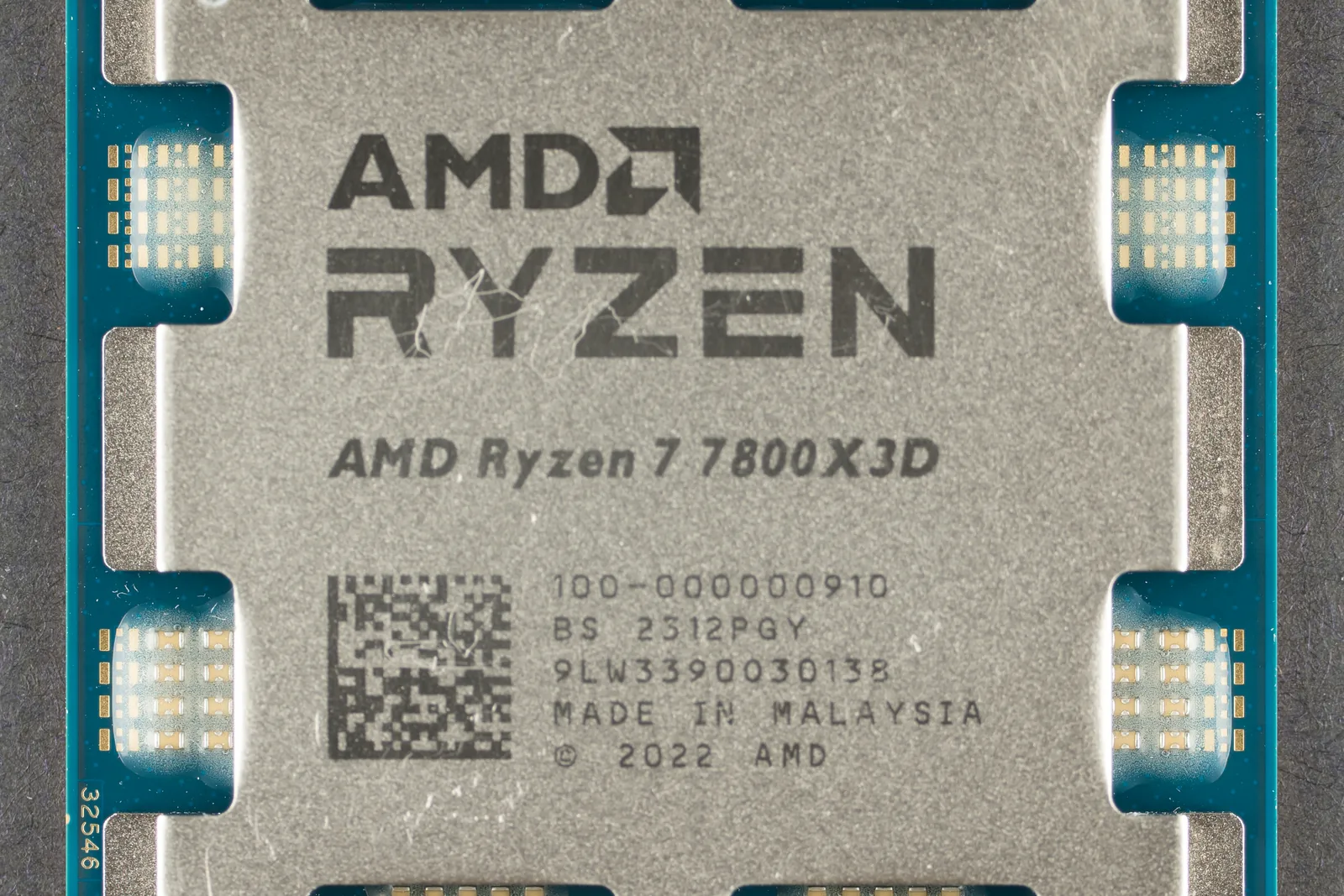
7800X3D quick facts: release date, MSRP, chipset, TDP and successors
| Question | Answer |
|---|---|
| Release date | April 6, 2023, per AMD’s product page |
| Launch MSRP | Tom’s Hardware’s CPU hierarchy lists $450. That is launch pricing, not a current price |
| Socket and chipsets | AM5. AMD lists A620, X670E, X670, B650E, B650, X870E, X870, B840 and B850 as supporting chipsets |
| Cores, threads, clocks | 8 cores, 16 threads, 4.2 GHz base, up to 5 GHz boost |
| TDP and power | 120W default TDP; Tom’s lists 162W maximum power. Real gaming draw is covered in the comparison section below |
| Integrated graphics | AMD Radeon Graphics with 2 graphics cores |
| Successors | Ryzen 7 9800X3D (AMD launch date November 7, 2024, up to 5.2 GHz) and Ryzen 7 9850X3D (January 29, 2026, up to 5.6 GHz); both keep 8 cores, 96MB of L3 and a 120W TDP |
| Intel equivalent | None that matches it in games. The fastest Intel chip in Tom’s 1080p gaming chart, the Core i9-14900K, scores 78.2 against the 7800X3D’s 85.6 |
The name sometimes appears as “Ryzen 5 7800X3D” or “R7 7800X3D.” AMD’s product name is Ryzen 7 7800X3D, an eight-core chip. The six-core X3D chip is the Ryzen 5 7600X3D.
Sources: AMD’s product pages for the 7800X3D, 9800X3D and 9850X3D, and the Tom’s Hardware CPU benchmark hierarchy, updated October 5, 2026. All were read October 10, 2026.
Decide from the bottleneck, not the resolution label
CPU reviews use low resolution and a very fast GPU to expose differences between processors. That is useful test
design, but the resulting percentage applies to the tested game set and bench. It is not a universal 1080p,
1440p, or 4K multiplier.
TechSpot’s 45-game comparison put the 9800X3D 8% ahead of the 7800X3D on average at 1080p. In its newer 12-game revisit with an RTX 5090 and DDR5-6000 CL30, the publisher described many gaps below 10% and some close to 20%. The spread matters more than a single average: your games can land on either side of it.
| What you observe in the games you play | What it means | 7800X3D decision |
|---|---|---|
| GPU utilization is near its ceiling and lowering resolution increases frame rate | The GPU is the active limit | Keep the CPU; a CPU swap cannot remove that GPU limit |
| GPU has headroom, one or more CPU threads are saturated, and frame time misses your target | The system is CPU-limited in that scene | Compare that game’s 7800X3D/9800X3D data; an upgrade may help |
| Average FPS is acceptable but CPU-side frame-time spikes hurt 1% lows | The average hides the problem | Compare frame-time data, not only average FPS |
| The system already holds the monitor’s refresh target in your demanding scenes | More CPU throughput has no visible target left to serve | Keep the 7800X3D |
This is why a higher resolution often narrows a CPU difference without guaranteeing that it will. Game simulation, crowd, draw-call, and cache behavior can remain CPU-bound at 1440p or 4K. The 7800X3D vs 9800X3D upgrade breakdown is the next step once you have identified a CPU limit.
The 3D V-Cache advantage, specifically
3D V-Cache stacks 64MB of SRAM on top of the standard CCD, bringing L3 to 96MB. When more of a game’s active data fits in that L3, the CPU avoids some trips to slower main memory. The result depends on the game and the scene. Extra cache does not remove every stall or guarantee a percentage uplift. Use the named game results in the TechSpot comparisons rather than applying one cache advantage to every title.
Single-CCD matters
The 7800X3D has one CCD (Core Complex Die). All 8 cores are on the same die with direct access to the 96MB L3.
The 7900X3D and 7950X3D use two CCDs, with 3D V-Cache on one CCD. Their platform software steers game work toward the cache-equipped CCD. The 7800X3D avoids that split because every core sits on the same CCD with access to the same L3 cache. That simplicity can help games. It does not prove that every 8-core X3D beats every 12- or 16-core X3D in every title, so use a benchmark suite that includes your games.
What the extra money buys
Price changes faster than CPU performance. Compare current retail-box listings sold by the same retailer class and separate marketplace, used, tray, and bundled offers before calculating value.
Use the bottleneck table above first. Then compare current retail-box listings sold by the same retailer class. Divide the price difference by an attributable performance delta for your game or a suite that resembles it. If the 7800X3D already meets the target or the GPU is the limit, the upgrade buys no useful frame-rate outcome. If the CPU is the measured limit, the newer chip’s game-specific improvement is the benefit you are pricing.
The 2026 lineup: where it sits now
For a ground-up build, the 9800X3D and 9850X3D are the newer eight-core alternatives on AM5. In GamersNexus' 9850X3D review, the 9850X3D was at best 4% faster than the 9800X3D in the publisher’s test set. That result is attributable to that suite; it is not a universal gaming delta.
The practical stack depends on the bottleneck and the current price. Keep a 7800X3D that already serves the target. Compare the 9800X3D when CPU frame time is the constraint. Treat the 9850X3D as a further step whose small gains in some suites need to justify its current price. The CPU comparison tool can organize the published specifications, but it does not replace game benchmarks.
7800X3D vs 9700X, 7700X, 7900X3D and 7950X3D
Buyers weigh four other AM5 chips against it. AMD’s product pages supply the hardware columns, and the frame rates come from one test bench: Tom’s Hardware’s CPU benchmark hierarchy, last updated October 5, 2026, which takes a geometric mean of 17 games at 1080p on an RTX 5090 with mixed High and Ultra settings and PBO disabled.
| CPU | Cores / threads | L3 cache | Max boost | Default TDP | AMD launch date | 1080p FPS (average / 99th percentile) |
|---|---|---|---|---|---|---|
| Ryzen 7 7800X3D | 8 / 16 | 96MB | 5.0 GHz | 120W | Apr 6, 2023 | 184 / 124 |
| Ryzen 7 9700X | 8 / 16 | 32MB | 5.5 GHz | 65W | Aug 8, 2024 | 162 / 109 |
| Ryzen 7 7700X | 8 / 16 | 32MB | 5.4 GHz | 105W | Sep 27, 2022 | 151 / 104 |
| Ryzen 9 7900X3D | 12 / 24 | 128MB | 5.6 GHz | 120W | Feb 28, 2023 | 165 / 110 |
| Ryzen 9 7950X3D | 16 / 32 | 128MB | 5.7 GHz | 120W | Feb 28, 2023 | 181 / 122 |
Sources: AMD’s 7800X3D / 9700X / 7700X / 7900X3D / 7950X3D product pages for specifications and launch dates; Tom’s Hardware’s hierarchy charts for FPS.
Against the 9700X, the 7800X3D is the better buy for gaming. The 9700X is the newer Zen 5 design with the higher boost clock, yet AMD gives it 32MB of L3 against 96MB, and Tom’s 17-game 1080p chart has the 7800X3D ahead 184 to 162 fps, about 14%. The 9700X’s 99th-percentile result trails by a similar margin, 109 fps to 124. Where the 9700X wins is lightly threaded application work: it scores 90.6% of the leader in Tom’s single-threaded ranking, against 77.3% for the 7800X3D. The six-core 9600X averages 155 fps on the same gaming chart.
Against the 7700X, the gap is the cache. AMD’s processor specifications list has no Ryzen 7 7800X, so the 7700X is the eight-core Zen 4 chip to compare: the same core count and a third of the L3. Tom’s 17-game 1080p chart puts the 7800X3D 22% ahead, 184 to 151 fps. Measured gaming power favors the 7800X3D over both eight-core rivals. Tom’s Hardware’s Ryzen 7 7700X3D review (July 16, 2026; 16-game 1080p geometric mean, RTX 5090, PBO disabled) logged average CPU power of 67.3W for the 7800X3D, 87.7W for the 9700X and 94.2W for the 7700X. That 67.3W sits inside the gaming range quoted near the top of this review. The two Ryzen 9 chips were not in that test.
Against the 7900X3D, the eight-core chip games better. The 12-core part carries more L3 in total. Yet it trails 165 to 184 fps in Tom’s chart, level with the non-X3D Ryzen 9 9950X; the two-CCD layout covered in the single-CCD section above is the structural difference. In Tom’s multi-threaded application ranking it scores 58.9% of the leader to the 7800X3D’s 42.8%. The non-X3D Ryzen 9 7900X scores 69.2% of the fastest gaming chip in Tom’s ranking table against 85.6% for the 7800X3D.
Against the 7950X3D, the games come out level at 181 fps to 184 in Tom’s chart. The 16-core chip is worth buying only for rendering or encoding. Tom’s multi-threaded ranking gives it 81.8% of the leader against 42.8% for the 7800X3D.
7800X3D vs 9900X3D, 7600X3D, 5800X3D and the 9800X3D
Three more chips come up beside the 7800X3D. AMD’s product pages supply the hardware columns, and the gaming score is Tom’s Hardware’s 1080p gaming ranking (October 5, 2026), where the Ryzen 7 9850X3D is the 100 reference.
| CPU | Cores / threads | L3 cache | Max boost | Default TDP | Socket | AMD launch date | Tom’s 1080p gaming score |
|---|---|---|---|---|---|---|---|
| Ryzen 7 7800X3D | 8 / 16 | 96MB | 5.0 GHz | 120W | AM5 | Apr 6, 2023 | 85.6 |
| Ryzen 9 9900X3D | 12 / 24 | 128MB | 5.5 GHz | 120W | AM5 | Mar 12, 2025 | 86.9 |
| Ryzen 5 7600X3D | 6 / 12 | 96MB | 4.7 GHz | 65W | AM5 | Sep 5, 2024 | 80.6 |
| Ryzen 7 5800X3D | 8 / 16 | 96MB | 4.5 GHz | 105W | AM4 | Apr 20, 2022 | not in the current table |
| Ryzen 7 9800X3D | 8 / 16 | 96MB | 5.2 GHz | 120W | AM5 | Nov 7, 2024 | 97.0 |
Against the 9900X3D, the games come out close, 86.9 to 85.6. The 12-core chip’s case is application work: Tom’s multi-threaded ranking scores it 74.1 against 42.8 for the 7800X3D. It also costs more per Tom’s MSRP column, $600 against $450, though those are launch figures and not current prices.
Against the 7600X3D, the 7800X3D scores 85.6 to 80.6 and adds two cores. The 7600X3D is a six-core chip with a 65W TDP, and AMD lists the same 96MB of L3.
The 5800X3D is the upgrade path from a different platform. AMD lists it on socket AM4 with DDR4 memory and PCIe 4.0. The 7800X3D needs an AM5 board and DDR5, so a move from the 5800X3D replaces the board and memory as well as the CPU. Tom’s current gaming table does not include the 5800X3D, so this page quotes no gap between the two.
The 9800X3D, the 7800X3D’s direct successor, scores 97.0 against 85.6. TechSpot’s 45-game 1080p test above found it 8% faster on average, so the score here and the game-by-game results measure different things. The 7800X3D vs 9800X3D upgrade breakdown covers the cost side. Whether the CPU holds back a card such as the RX 7900 XTX depends on the game and resolution, and the bottleneck table above shows how to test it.
Sources: AMD’s product pages for the 9900X3D, 7600X3D and 5800X3D, plus the 7800X3D and 9800X3D pages linked above, and Tom’s Hardware’s CPU benchmark hierarchy. All were read October 10, 2026.
Thermals with a 360mm AIO
The NZXT Kraken 360 keeps the 7800X3D well-managed:
- Gaming (sustained, 45+ minutes): 72–77°C
- Cinebench R23 multi-core (sustained): 82–85°C
- All-core at 120W TDP: 83–86°C
AMD’s 89°C safety limit isn’t approached under gaming load with a quality 240mm or 360mm AIO. A 240mm AIO is sufficient for this CPU in a gaming-only build. The 360mm is comfortable margin.
For a useful check on your own system, log CPU temperature, package power, effective clocks, and fan/pump speed during a repeatable game scene. Record the cooler, case, ambient temperature, BIOS, and monitoring tool. If the CPU repeatedly reaches its limit, verify the sensor, mount, pump or fan operation, and airflow before blaming the processor. See the CPU overheating guide for that diagnostic path.
Production workloads
The 7800X3D has eight cores and sixteen threads. Blender, video encoding, and compilation can favor processors with more cores, while cache-sensitive workloads behave differently. In Cinebench R23 multi-core, the 7800X3D posts scores in the 18,500–19,500 range. If production work matters, compare a current benchmark for the exact application and weigh that result alongside gaming rather than assuming one CPU wins every non-gaming workload.
Is a used or new 7800X3D safe? The 2023 burnout question
In April 2023, AMD said excessive SoC voltage could damage the socket and pins and that it had distributed new AGESA code to board partners to cap SoC voltage at 1.3V while retaining EXPO and PBO. That mitigation is the reason to update and verify settings; it is not a warranty for an unknown used processor or motherboard.
What that means for a used chip:
- Install the motherboard vendor’s current stable BIOS before enabling EXPO or PBO, and verify that the exact CPU is on the board’s support list.
- Inspect the CPU pads and socket, then confirm the relevant settings after boot. A BIOS year alone does not prove a safe configuration.
- Check seller history, return rights, and the exact item condition. Stable prior use and the 1.3V mitigation reduce uncertainty; neither one guarantees an unknown used part.
The real future-proofing play
AMD has confirmed AM5 platform support through 2029. That gives the platform runway; it does not guarantee that every future CPU will work in every B650/B850 board. Before treating a board as an upgrade path, check its vendor CPU-support list, required BIOS, power delivery, and the features you need. Buy for a current workload first and treat a later drop-in as an option to verify, not a promised model.
DDR5 clock relationship
AMD Ryzen Master documentation exposes Memory Clock, Fabric Clock, and U Clock separately. The synchronous relationship commonly discussed for Zen 4 memory tuning is UCLK:MEMCLK. UCLK is the memory controller’s clock, and the Infinity Fabric clock does not need to match the memory clock. AMD’s official memory specification for the 7800X3D is DDR5-5200; faster EXPO settings are overclocking and still require a stable board, kit, memory-controller, and BIOS combination. See the DDR5 RAM buying guide for a full tuning path.
How long should you keep a 7800X3D?
There is no fixed number of useful gaming years. Keep the chip while your own games meet the frame-rate and frame-time targets you care about. AM5 support through 2029 addresses the platform. It does not promise that this processor will satisfy a future workload. Recheck the bottleneck when that workload changes.
Verdict
The 7800X3D remains a strong gaming CPU, but still good is a system question. Keep it when the GPU is the limit or
the machine already holds your target. Compare a 9800X3D-class upgrade when a repeatable CPU limit appears in the
games you play, especially at high refresh. Use the named 45-game and 12-game TechSpot comparisons as bounds, then
look for the individual game rather than borrowing the average blindly.
For a new purchase, compare current like-for-like retailer listings before calling the 7800X3D the value pick. For production work, use application-specific benchmarks. AM5’s confirmed support through 2029 preserves an upgrade option, but the exact CPU, board, and BIOS still need to be checked when that upgrade exists.
This review is part of the build component documentation for the 2026 gaming PC build. The full system context: ROG STRIX B650-A, NZXT Kraken 360, EVGA SuperNOVA 1000 GT, Samsung 970 EVO Plus 1TB, ROG Astral RTX 5080 OC.
Frequently asked questions
Is the Ryzen 7 7800X3D still good in 2026?
Is the Ryzen 7 7800X3D still worth buying new in 2026?
Ryzen 7 7800X3D vs 9800X3D in 2026 — when is the upgrade worth it?
Will the 7800X3D last / is it future-proof?
Is it safe to buy a used Ryzen 7 7800X3D?
How hot does the 7800X3D run?
Can you overclock the 7800X3D?
What is 3D V-Cache and why does it help gaming?
Does the 7800X3D support PCIe 5.0?
Is the Ryzen 7 9700X better than the 7800X3D for gaming?
Is the Ryzen 9 7950X3D faster than the 7800X3D for gaming?
When did the Ryzen 7 7800X3D come out?
What chipset does the Ryzen 7 7800X3D use, and is it AM5?
What is the 7800X3D’s TDP and power draw?
Is there an Intel equivalent to the 7800X3D?
Sources and corrections
- Last updated
- Methodology
- See our methodology for research and review standards. The 7800X3D here is the chip in my own daily-driver build, in service since 2023 – a long-term owner’s account, not a launch-day loaner. Cross-generation performance deltas come from cited third-party reviews, not first-party benchmarks. Current price conclusions require like-for-like retailer receipts; the stale July comparison was removed.
- Update log
10 dated updates are retained in the full log.
Read the full update log (10 entries)
- 2026-10-10 — Added a quick-facts section (release date, launch MSRP, chipsets, TDP, integrated graphics, successors, Intel comparison) and a comparison with the 9900X3D, 7600X3D and 5800X3D, plus three FAQs. Specifications are from AMD’s product pages for each chip and gaming scores from Tom’s Hardware’s CPU hierarchy (updated 2026-10-05), all read 2026-10-10. Merged two repeated 3D V-Cache paragraphs and one repeated single-CCD sentence, and glossed UCLK. No measurement, ownership statement, rating or price was changed. Title, SEO title and description reworded.
- 2026-10-09 — Added the 7800X3D vs 9700X, 7700X, 7900X3D and 7950X3D section and three FAQs, using AMD’s product pages for those chips and the 9800X3D plus AMD’s processor specifications list (read 2026-10-09) for cores, threads, L3, boost, default TDP and launch dates, Tom’s Hardware’s CPU benchmark hierarchy (updated 2026-10-05; 17-game geometric mean at 1080p on an RTX 5090) for average and 99th-percentile FPS and application-ranking scores, and Tom’s Hardware’s Ryzen 7 7700X3D review (2026-07-16; 16-game 1080p geometric mean) for gaming CPU power, with the 14% and 22% leads computed from the hierarchy’s FPS figures.
- 2026-10-03 — Bound both buying sections to exact-model retailer records checked on each retailer’s own listing. Amazon exposed the selected Processor variant and Amazon.com shipper/seller; Newegg exposed the selected 7800X3D option, model 100-100000910WOF, and Newegg seller/fulfillment. No price, stock, shipping, or availability claim was refreshed.
- 2026-09-28 — The review, the thermals FAQ and the photo caption carry my gaming power range, my Kraken 360 temperatures, my Cinebench R23 range and my daily use since 2023.
- 2026-09-28 — Citation repair on the overclocking answer. It cited AMD’s Ryzen 7000 quick-reference guide PDF, which returned 404 on 2026-09-27 and 2026-09-28. The answer now cites two AMD pages read on 2026-09-28: the 7800X3D product page (Precision Boost Overdrive: Yes; Curve Optimizer Voltage Offsets: Yes) and the Ryzen Master page’s warranty footnotes. The claim that the chip has no fixed manual-multiplier overclocking was removed from this answer, the pros and cons and the score note because neither live page states it.
- 2026-09-26 — Rebuilt the keep/upgrade decision around attributable CPU-limited evidence and removed stale July price math. TechSpot’s named 45-game and newer 12-game comparisons replace the uncited resolution chart. AMD primary documentation now anchors MCLK/FCLK/UCLK, 89C Tjmax, tuning support and AM5-through-2029. Used-CPU and board language no longer gives a universal safety guarantee.
- 2026-09-08 — Corrected the buying step: PC Builder checks CPU/board compatibility, DDR memory type and estimated PSU headroom, but it does not validate CPU cooler mounting or clearance.
- 2026-08-22 — The burnout paragraph and its FAQ twin credited the SoC-voltage cap to ‘AGESA 1.0.0.7 released in early May 2023’; the cited Tom’s Hardware article is dated 27 April 2023, never names an AGESA version, and quotes AMD saying it had ‘already distributed a new AGESA’ with the 1.3V cap. Both instances now say what the source says. I re-verified every figure in the spec table live against AMD’s product page (4.2 GHz base, up to 5 GHz boost, 8 MB L2, 96 MB L3, 120W TDP, DDR5-5200, PCIe 5.0, Tjmax 89C, launch 04/06/2023) and re-read GamersNexus’ 9850X3D review for the 3-4% figure (‘at best 4% faster than the 9800X3D’).
- 2026-08-14 — Citation repair. The spec table’s only source line pointed at amd.com/en/products/cpu/amd-ryzen-7-7800x3d, which now 301s to AMD’s homepage - it returned 200 and passed link checking while supporting none of the table. Re-pointed to AMD’s current 7800X3D page (amd.com/en/products/processors/desktops/ryzen/7000-series/amd-ryzen-7-7800x3d.html), retrieved 2026-08-14, which carries the table’s figures: 4.2 GHz base, 96 MB L3, 8 MB L2, 512 KB L1, 120W default TDP.
- 2026-08-13 — Replaced the shared build photo with the full-build frame showing the CPU’s cooler display; caption rewritten to describe exactly what is visible.
- Corrections
- Spotted an error or a stale number? Email contact@techfuelhq.com. Confirmed corrections are recorded here with the date and change.