 TechFuel HQ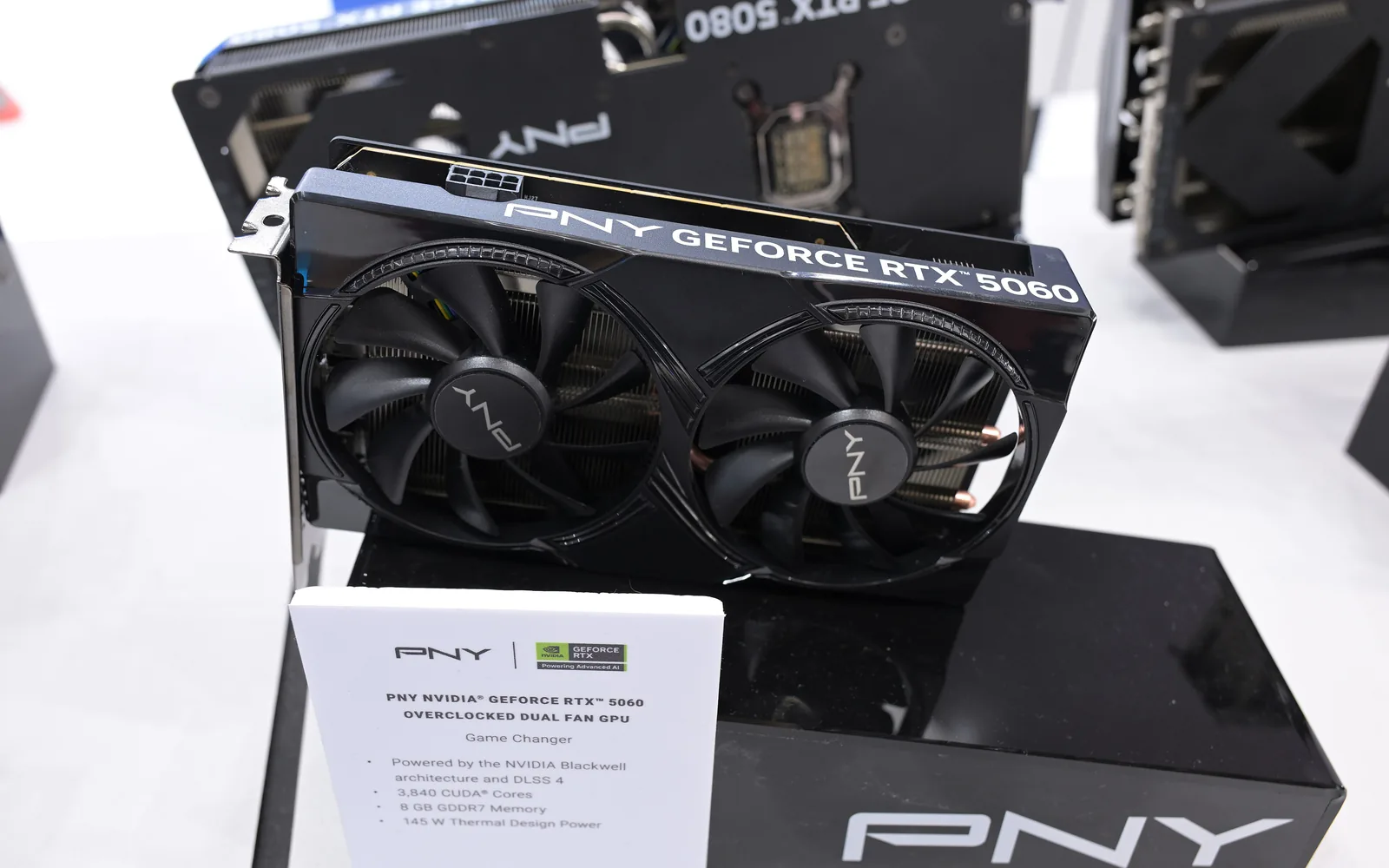
Bigger than 13B is where the 8GB RTX 5060 gives up, thrashing swap down to about 5 tokens per second. Qwen 2.5 7B Q4_K_M uses 4.7GB and streams 58 tokens/sec. The 16GB 5060 Ti adds 14B at 8.7GB and 32 t/s, plus 30B MoE via --cpu-moe. Ollama listens on 11434, LM Studio on 1234.
By LK Wood IV · 2026-05-06 · ~14 min read · St. Louis County, MO
The first time I spun up Llama 3.1 8B on my own machine, with no API key, no rate limit, and no telemetry phoning home, I sat there asking it the kind of half-formed questions I’d never paste into a hosted chat window. That moment is what most people are actually buying when they self-host a model. Not raw performance. Not even cost savings. The simple fact that the prompt and the answer never leave the box.
In early 2026 that box could be $300 — and the hardware math still starts from NVIDIA’s RTX 5060 May 2025 launch at $299 for the 8GB model, with the 16GB RTX 5060 Ti at $429.
Street-price reality check (July 2026): the 2026 GDDR memory shortage has pushed both cards above list — the 5060 Ti 16GB runs roughly $550–$590 as of July 2026, and the base 5060 also sits above its $299 MSRP; check live retailer pricing before budgeting, and see our RTX 5060 Ti vs RX 9060 XT price breakdown and the 2026 RAM/SSD price crisis for why.
The open-weights model situation, meanwhile, has fully caught up — Llama 3.3, Qwen 2.5, and Mistral 7B all run respectably on these cards with the right quantization. This guide is the build I’d hand a friend who asked me to skip the cloud and run their own assistant. If you want the wider view first — where the chat model sits next to image generation, speech, and a coding assistant — start with the self-hosted AI stack overview.
Methodology and sourcing
The tokens/sec figures in this guide come from published benchmarks for these exact cards — LocalScore for the RTX 5060 Ti 16GB and Database Mart’s Ollama 0.9.5 testing for the RTX 5060 8GB — cited at the table itself rather than re-measured for this update.
The setup walkthrough and tuning notes reflect hands-on experience running Ollama: a gotcha worth logging is that Ollama’s default context window is 2048, and bumping it to 8192 on an 8GB card can push into shared-memory swap and cut tokens/sec by roughly 40%.
Models covered: Llama 3.1 8B, Llama 3.3 70B (Q4 quant, partially offloaded), Qwen 2.5 7B, and Mistral 7B. Last verified 2026-05-06 by LK Wood IV; GPU street pricing re-verified 2026-07-09 against the July 2026 shortage data in our 5060 Ti vs 9060 XT review.
Why local LLMs in 2026
Two things changed since 2024. First, hosted API pricing stopped racing to zero — Anthropic and OpenAI both raised prices on their flagship models last year, and the budget tiers that used to be free are now metered. A heavy user paying $20–60/month for chat plus another $50–200 in API spend can break even on a $300 GPU in under a year of self-hosting.
Second, open-weights models caught up to where hosted GPT-4 was eighteen months ago. Llama 3.3 70B (quantized) writes nearly indistinguishable code from GPT-4o for routine tasks, and 8B-class models cleared the threshold where they’re actually useful for daily work — summarization, code completion, RAG over personal docs. The privacy angle matters too: financial planning prompts, draft emails about coworkers, half-formed business ideas. None of that should sit in a third-party log file.
Until the RTX 50-series, “local LLM that doesn’t make you wait” meant a used 3090 at $700+ on eBay. The RTX 5060 family changed the math at the bottom of the stack.
RTX 5060 hardware reality check
Three cards in the family, two that matter for LLMs:
- RTX 5060 8GB — $299, 3,840 CUDA cores on Blackwell, 128-bit bus, GDDR7. Runs up to ~7B at Q4 with usable speed.
- RTX 5060 Ti 8GB — $379. Same VRAM ceiling, slightly more compute. Don’t buy this for LLMs; the 8GB ceiling is the bottleneck.
- RTX 5060 Ti 16GB — $429, 4,608 CUDA cores, 759 AI TOPS, 128-bit bus at 448 GB/s. This is the LLM card.
For $300, the 8GB 5060 runs a 7B model at 50–60 tokens/s — enough for chat, coding help, and document Q&A. For $429, the 16GB 5060 Ti adds 13–14B models at usable speeds plus 30B+ MoE with CPU offload tricks. The extra $130 is the highest-ROI upgrade in this build. I ran the 16GB for this guide; notes below assume it, with 8GB caveats called out where they matter.
Software stack: Ollama vs LM Studio vs vLLM vs llama.cpp
Four tools, all built on the same llama.cpp foundation. Pick by friction tolerance:
- llama.cpp — Gerganov’s original C++ inference engine. Fastest, most flexible, most setup. You compile it, manage GGUF files, and write your own server config. Graduate here once Ollama starts feeling limited.
- Ollama — daemon wrapping llama.cpp with a clean CLI and model registry.
ollama pull qwen2.5:7band you’re chatting in 60 seconds. What I run on my Linux box for LAN serving. - LM Studio — desktop GUI on llama.cpp. Closed UI, open backend. Best for Windows users who want a polished interface and one-click downloads. Slightly slower than Ollama at dense-model decode (5-11% in my same-GPU head-to-head) but faster at prompt ingestion, and easier without the CLI.
- vLLM — high-throughput batched serving for data center GPUs with PagedAttention. Overkill for a single 5060 unless you’re serving multiple concurrent users.
This guide shows Ollama on Linux and LM Studio on Windows because those are the two paths 95% of homelabbers take. Either produces nearly identical token rates on the same model and quantization.
Step-by-step setup — Linux (Ollama)
I run Ollama on Ubuntu 24.04 LTS with the NVIDIA proprietary 575+ driver. Steps:
- Install the NVIDIA driver (
sudo ubuntu-drivers install) and reboot. Verify withnvidia-smi— you should see “GeForce RTX 5060 Ti” and CUDA 12.4 or newer. - Install Ollama:
curl -fsSL https://ollama.com/install.sh | sh. Creates a systemd service that listens onlocalhost:11434. - Pull a model:
ollama pull qwen2.5:7b(~4.7GB). For 16GB cards, also tryollama pull qwen2.5:14b(~8.7GB). - Test:
ollama run qwen2.5:7b "Write a Python function to detect duplicate files by hash."First token under a second; responses stream at 50–60 t/s on the 8GB card. - Optional LAN exposure: edit
/etc/systemd/system/ollama.service, addEnvironment="OLLAMA_HOST=0.0.0.0:11434"under[Service], thensystemctl daemon-reload && systemctl restart ollama. Point Open WebUI from a low-power mini PC at the GPU box.
I treat the GPU box as a headless inference node and hit it from a laptop over my 10G homelab link.
Step-by-step setup — Windows (LM Studio)
LM Studio is the one-installer path on Windows 11.
- Update the GeForce driver to 575 or newer via GeForce Experience. Older drivers on Blackwell silently fall back to CPU inference.
- Install LM Studio from the official site.
- In the Discover tab, search “Qwen2.5 7B Instruct GGUF”. Filter by quantization —
Q4_K_Mfor the 8GB card orQ5_K_M/Q6_Kfor the 16GB. Download. - In the Chat tab, load the model and confirm the GPU offload slider is maxed (all layers on GPU, not split with CPU). Send a test prompt.
- Optional: enable the local server tab on port 1234. Any tool that speaks the OpenAI API (Continue, Cursor’s local mode, your own scripts) can hit
http://localhost:1234/v1as a drop-in.
Windows is friendlier; Linux is faster and cleaner once installed. For an always-on inference box, Linux wins on uptime and resource overhead.
One note on storage: GGUF model files are large — a Q5_K_M of a 14B parameter model is roughly 10 GB, and you will accumulate three or four before you settle on the one you actually use day-to-day.
If you are running this on a dedicated server with a NAS underneath, the storage layer matters more than people admit — the Proxmox vs TrueNAS vs Unraid storage backend comparison for 2026 covers ZFS vs btrfs, NVMe SLOG, and the IOPS profile that keeps model loads from stalling on first inference.
Models that actually fit and run well
Quantization is the lever. Llama 3.1 8B in FP16 is 16GB; at Q4_K_M it’s about 4.7GB. Q4_K_M is the sweet spot most homelabbers use — small enough to fit, large enough that quality loss is minor for general chat. Q5_K_M trades 20% more VRAM for cleaner outputs. Q6_K and Q8_0 are diminishing returns. To check a specific card and model size before you download, run it through the LLM VRAM calculator.
What actually fits:
- 8GB card — anything ≤7B at Q4 fits with room for context: Llama 3.2 3B, Llama 3.1 8B Q4, Qwen 2.5 7B Q4, Mistral 7B Q4, Phi-4-mini Q4, Gemma 3 4B. Skip 13B+ — you’ll see swap thrashing and 5 t/s.
- 16GB card — everything above plus Qwen 2.5 14B Q4 (8.7GB), Llama 3.3 70B with aggressive Q2/Q3, and 30B+ MoE like Qwen3-Coder-30B with
--cpu-moe, tuned to ~30 t/s on the 5060 Ti 16GB.
For a daily driver, I’d run Qwen 2.5 14B Q4 on the 16GB or Llama 3.1 8B Q4 on the 8GB. Both have permissive licenses and community-validated GGUFs on Hugging Face.
Tokens/sec benchmarks
Below are real numbers, not vendor marketing. The 5060 Ti 16GB row uses LocalScore’s published benchmarks; the 5060 8GB row uses Database Mart’s Ollama 0.9.5 testing on an RTX 5060 8GB at 4-bit quantization.
| Model | Quant | VRAM used | Card | Tokens/sec (gen) |
|---|---|---|---|---|
| Llama 3.2 1B Instruct | Q4_K_M | ~1.3 GB | RTX 5060 Ti 16GB | 192 |
| Llama 3.2 3B Instruct | Q4_K_M | ~2.0 GB | RTX 5060 8GB | 96 |
| Qwen 2.5 7B Instruct | Q4_K_M | ~4.7 GB | RTX 5060 8GB | 58 |
| Llama 3.1 8B Instruct | Q4_K_M | ~5.2 GB | RTX 5060 Ti 16GB | 59 |
| Mistral 7B Instruct | Q4 | ~4.4 GB | RTX 5060 8GB | 73 |
| Qwen 2.5 14B Instruct | Q4_K_M | ~8.7 GB | RTX 5060 Ti 16GB | 32 |
| Qwen3-Coder 30B (MoE) | Q4_K_M + cpu-moe | ~14 GB | RTX 5060 Ti 16GB | 30 |
Three observations. The 7–8B class is the sweet spot for both cards — snappier than most hosted services, with headroom for context. The 14B and 30B rows on the 16GB card are where the extra VRAM earns its $130. The 1B Llama 3.2 number (192 t/s) is faster than you can read — handy for RAG indexing or autocomplete.
For comparison, the RTX 5070 hits ~111 t/s in MLPerf Client vs 84 for the 5060 Ti 16GB — about 33% faster — but with only 12GB VRAM, so models above 12GB push it to offload while the 5060 Ti runs them clean.
One variable these numbers do not hinge on is the runner. When I put Ollama and bare llama.cpp head-to-head on an RTX 5080, loading the same GGUF files, the decode gap on dense models was 2–6% — pick your tool for workflow, because the tokens/sec table barely moves.
Common pitfalls
Things that will eat an evening if you’re not warned:
- Driver version. Blackwell needs NVIDIA 570+ on Linux, 575+ on Windows. Older drivers cause silent CPU fallback or mid-generation crashes. Check
nvidia-smiand CUDA toolkit before blaming the model. - Context length. Doubling context from 4K to 16K can double VRAM use on attention. If a 7B OOMs after a long conversation, shorten the window (
num_ctxin Ollama, slider in LM Studio). - Quantization confusion. Q4_K_M is the floor for general use. Q3_K_S sounds dumber on smaller models. Q2 only makes sense on 70B where any answer beats none.
- Power draw. The 5060 Ti idles ~15W, pulls ~180W under sustained inference. A quality 550W PSU is fine; cheap 500W units brown out under Blackwell’s 1.5x transients.
- Thermals. Stock cooler runs ~72°C under load in a ventilated case. If yours hits 85°C+, the chassis airflow is the problem. Two front intakes plus one rear exhaust is the floor.
Verdict — when to step up to a 5070 or 5080
If your daily use is chat, code completion, document Q&A, and small-batch embedding, the 5060 Ti 16GB is where I’d stop. Even at 2026 street pricing it pulls less than a quarter of a kilowatt at the wall.
Step up to a 5070 (12GB) only if you don’t care about 14B+ models and want raw speed on 7B workloads, or you’re doing image generation alongside LLMs.
Step up to a 5080 (16GB) or used 3090 (24GB) if you want Llama 3.3 70B or Qwen 2.5 72B at usable Q4 speeds, batch inference for multiple users (see the $1,500 RTX 5060 Ti 1440p build as a starting chassis), or home fine-tuning.
The biggest mistake I see: people spending $1500 on a 5080 because reviews told them to, then running a 7B that’s identical speed on a $300 5060. Match the card to the workload, not the budget.
Local LLMs used to be a research project. In 2026 they’re a weekend install on a $300 card. The only question is which model gets your prompts.
Working out of St. Louis County. If you’re running a 5060 or 5060 Ti and seeing different tokens/sec on your stack, send your config and run notes to contact@techfuelhq.com.
Related guides
- RTX 5060 Ti vs RX 9060 XT — 1440p Showdown 2026
- $1,500 RTX 5060 Ti 1440p Build for 2026
- Best Mini PCs for a 2026 Homelab
- Best MCP Servers for a Homelab: 11 Measured — once the model runs, this is what wiring it to real tools costs in RAM
- 10Gbps Home Networking on a Budget
- Tutorials Hub
Sources
- NVIDIA, “GeForce RTX 5060 Desktop Family” launch announcement
- NVIDIA Investor Relations, RTX 5060 family pricing release
- BestGPUsForAI, “RTX 5060 Ti vs RTX 5070 for AI” specs and TOPS comparison
- LocalScore, RTX 5060 Ti benchmark results (Llama 3.2 1B, Llama 3.1 8B, Qwen 2.5 14B)
- Database Mart, “RTX 5060 Ollama Benchmarks: Best GPU for 8GB LLMs” (18-model sweep)
- Reddit r/LocalLLaMA, “RTX 5060 Ti 16GB Local LLM Findings: 30B Still Wins” (Qwen3-Coder tuning)
- D-Central Technologies, “LM Studio vs Ollama vs llama.cpp” (2026 runner comparison)
- Tom’s Hardware, “RTX 5070 vs RTX 5060 Ti 16GB” (MLPerf and Blender comparison)
- DropReference, “Best graphics cards for AI in 2026” (RTX 5060 Ti availability and pricing)
Frequently asked questions
Do I need a GPU to run a local LLM, or can I use CPU only?
--cpu-moe flag while keeping the rest on the GPU. For usable speed, plan on a GPU.Is it free to run an LLM locally?
Can you run a local LLM without an internet connection?
ollama pull qwen2.5:7b, about 4.7GB), inference runs entirely on your own machine – the prompt and the answer never leave the box, with no telemetry phoning home. You only need a connection for the initial model download and driver updates; day-to-day chat, code completion, and document Q&A work fully offline. That offline, private operation is the main reason to self-host in the first place.Are local LLMs worth it on a budget GPU?
RTX 5060 8GB or 5060 Ti 16GB for local LLMs – which should I buy?
What size LLM can an RTX 5060 run, and how fast?
--cpu-moe flag (about 30 t/s), and Llama 3.3 70B at aggressive Q2/Q3 quantization. Q4_K_M is the quality-versus-size sweet spot; check a specific card and model with the LLM VRAM calculator before downloading.Sources and corrections
- Last updated
- Methodology
- See our methodology for research and review standards.
- Update log
- 2026-09-19 — Page updated.
- Corrections
- Spotted an error or a stale number? Email contact@techfuelhq.com. Confirmed corrections are added to the update log above.